■ Profile Settings
- Tap the nickname and icon in the top left-hand corner of the Main Lobby screen to open the Profile settings.
- You can set up your nickname, greeting, and Envoy Team through the Profile screen.
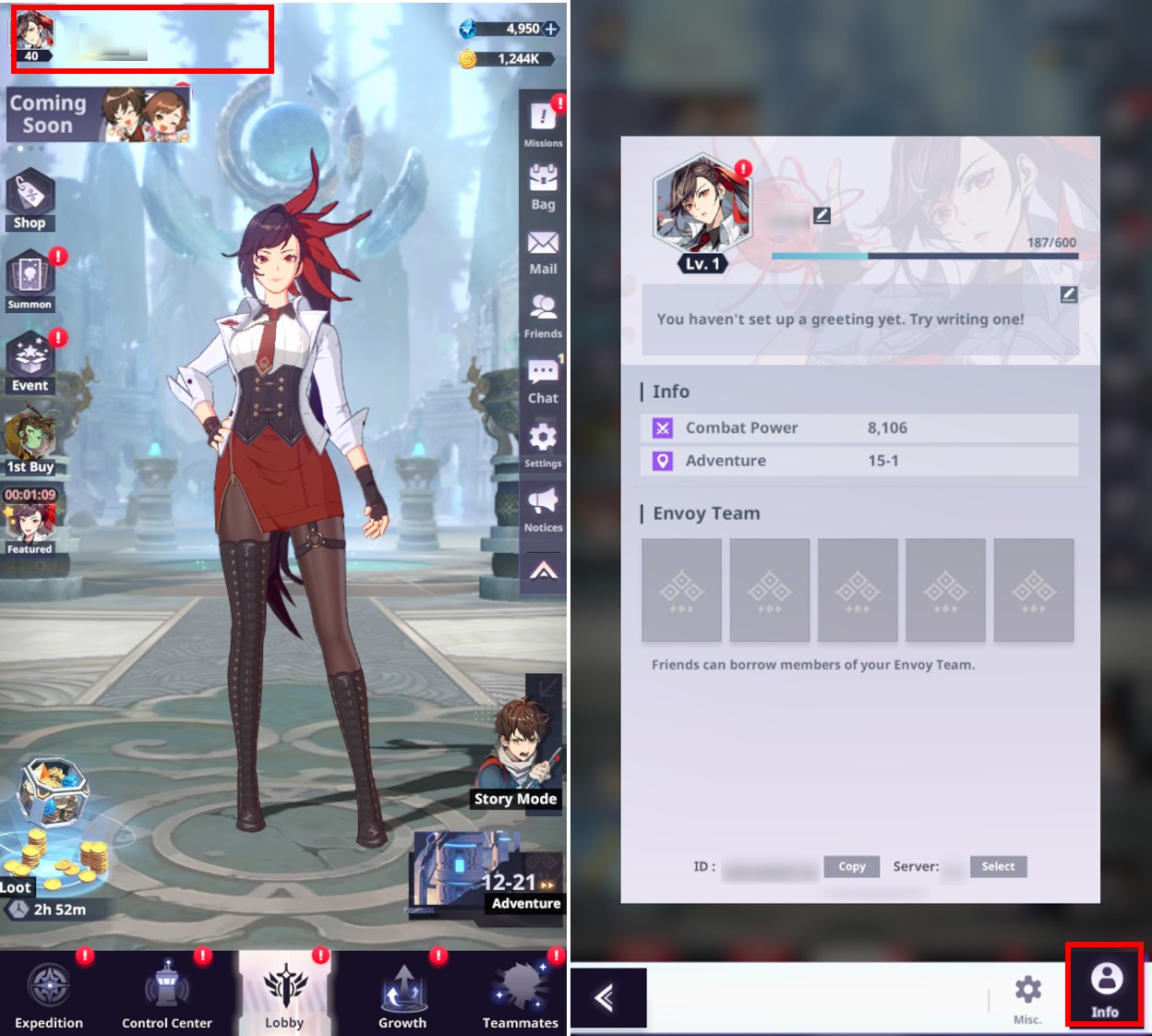
① Customize Your Profile
- You can select your favorite icon and border to customize your public profile.

② Change Your Nickname
- You can change your nickname in the game.
* Requirements: Up to 12 characters, excluding spaces and special characters
- You can change your nickname for free once. Additional nickname changes will require 300 Suspendium.

③ Change Your Greeting & Info
- You can freely change the greeting displayed on your profile.
- Combat Power and Adventure Stage progress information are also displayed in this section.
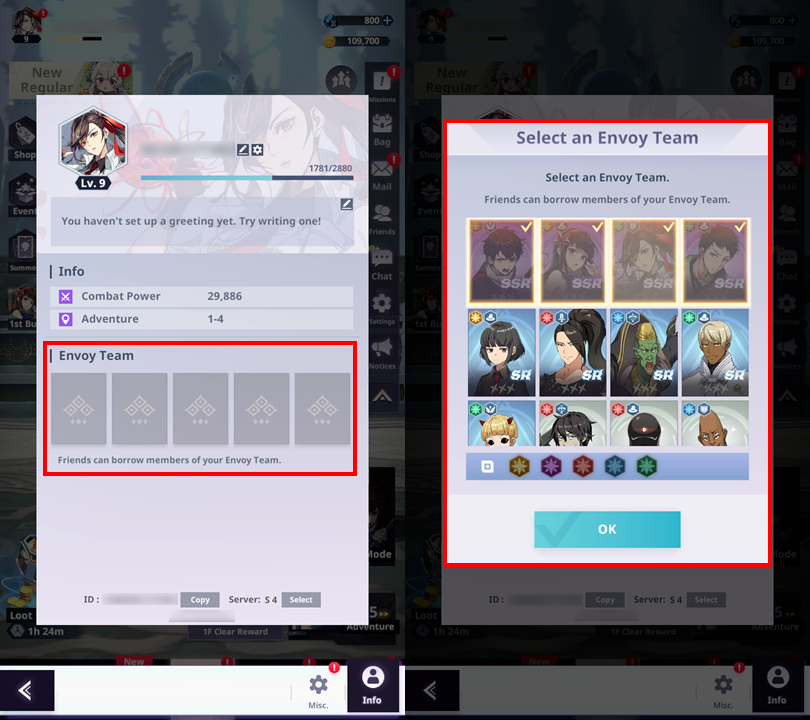
④ Pick Your Envoy Team
- You can select up to 5 Teammates for your Envoy Team. Your friends can borrow the teammates you added to this team.
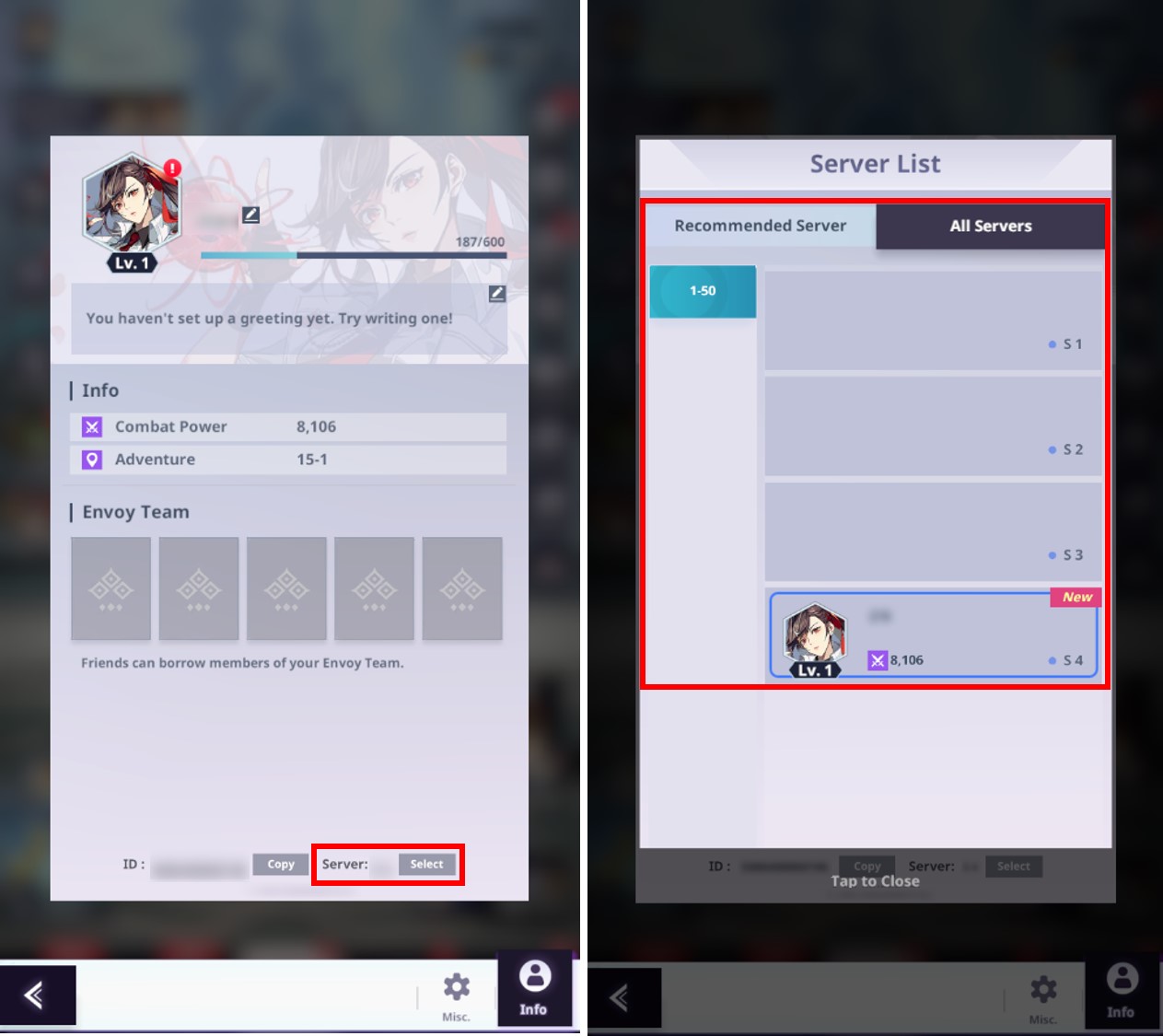
⑤ Change Servers
- When changing servers, a new account code will be created, and the game will start again from the beginning.
- The game information/progress in your current server will not disappear, and if you switch back to that server, you can continue to use it.
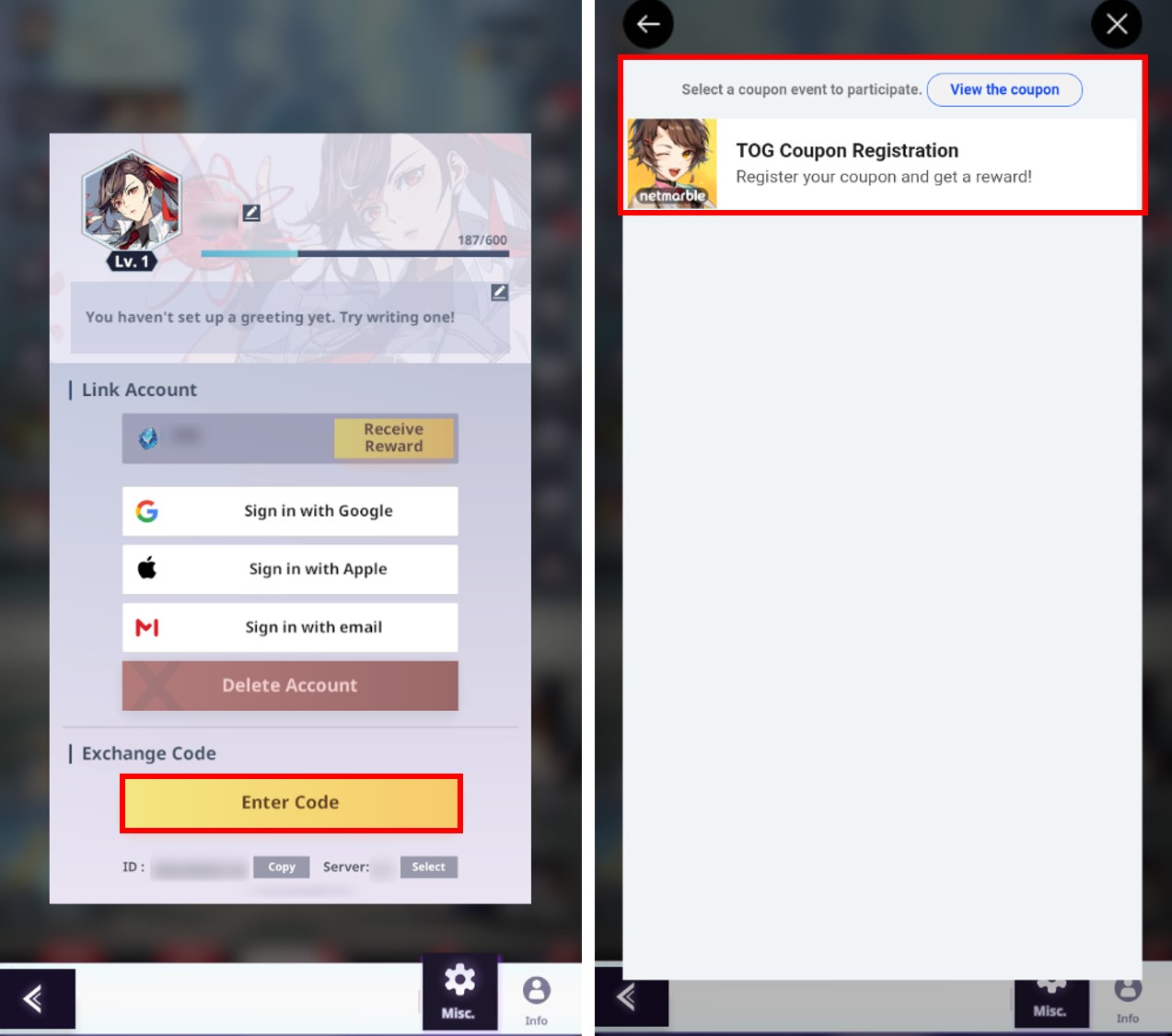
⑥ Use Coupons
- Players can receive rewards by entering Coupon Codes they have received.
- Android (AOS) users can enter the Coupon Code directly in the game.
* iOS users can use and enter Coupon Codes through a specific website. The page’s address will be shared separately.
* This guide was written based on the test environment and is subject to change.