■ Adventure
- Adventure Mode is a game mode where you can climb the Tower with your Teammates.
- Tap the “Adventure” button in the bottom right-hand corner of the main menu to play.
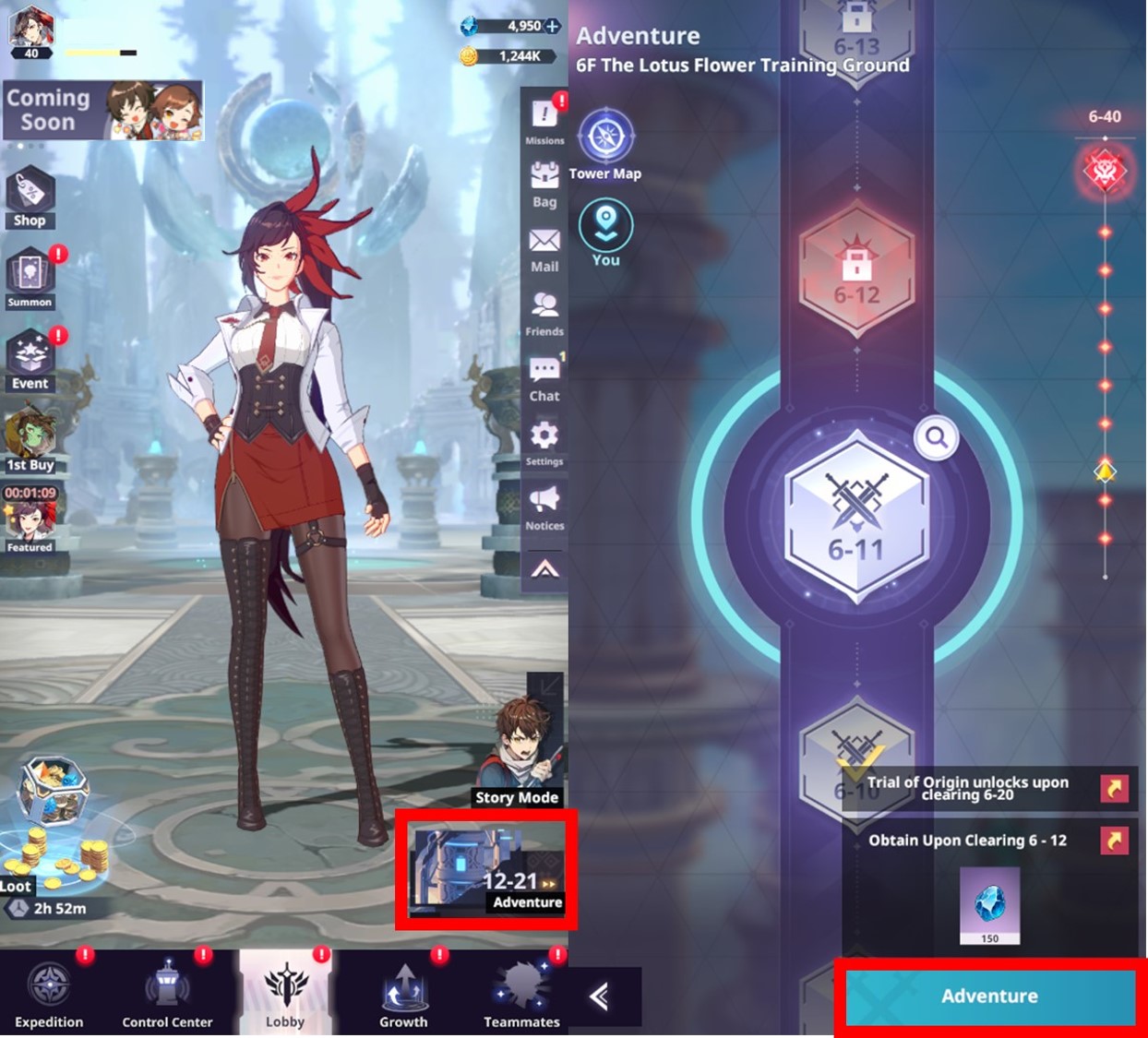
① Save Team Info
- You can set your Team on the Battle Preparation screen after entering Adventure mode.
- Tap [Teams] to save the selected team’s information. You can save and select up to 10 teams.
- Tap the [Save] button in the Teams menu to save the current dispatch settings.
- You can also name each of your saved Team presets.
- Tap the [Formation] button to go back to the selection screen.
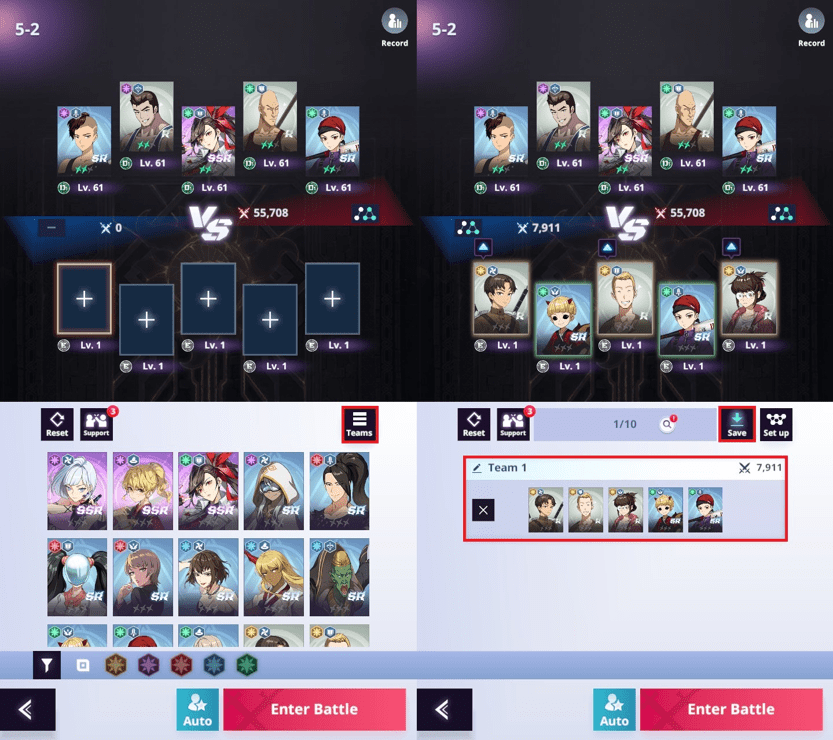
② Recommended Dispatch
- A team will be formed automatically based on Combat Power or Element upon selecting the ‘By Combat Power’ or ‘By Element’ options.
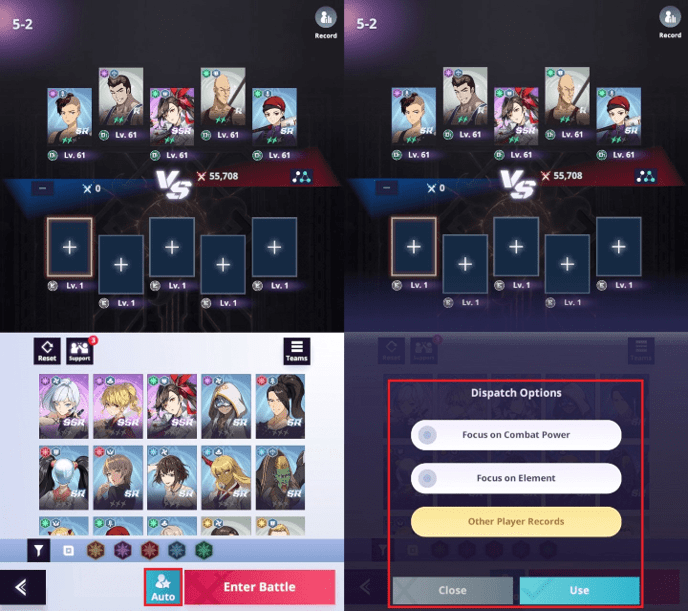
● Other Player Records Recommendation Feature
- You can use the same formation as other players by selecting [Auto] > [Other Player Records] at the bottom of the Combat Preparation screen. (*The slot will remain empty if you don’t own the corresponding Teammate.)
- Teammates from your Friend Support will not be applied automatically when using the Other Player Records feature. In the event you want to use a Friend’s Teammate, you must place it in the formation before starting the battle.
- To use the feature in battles that require more than one Team (multiple rounds), you must delete the previous team information of the victorious Team and start the challenge from the first round again.
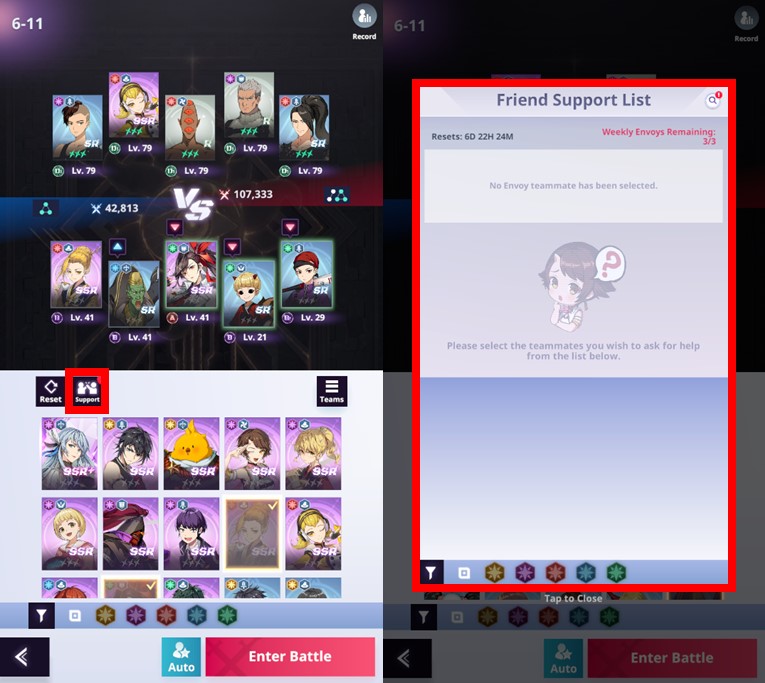
③ Friend Support
- When having difficulties clearing Adventure Stages, you can request support from your Friend’s Teammates through their Envoy Team.
- You can receive support from one of your Friend’s Teammates up to the daily limit each week.
- The Friend Support count resets every week at 00:00 (UTC+0).
④ Enter Battle
- Start a battle against the enemy with your selected team.
- If you defeat every opponent within the time limit, you will achieve victory and be able to proceed to the next stage.
- Once a stage is cleared, it is not possible to challenge it again.
- The match will result in a Defeat if you fail to beat the opponents within the time limit or if all of your teammates are defeated.
- There is no penalty for being defeated. You can challenge the stage over and over until you clear it.
★ Try enhancing Shinsu Links, Equipment, and Teammates, or change your team’s formation to achieve victory!
Battle Features
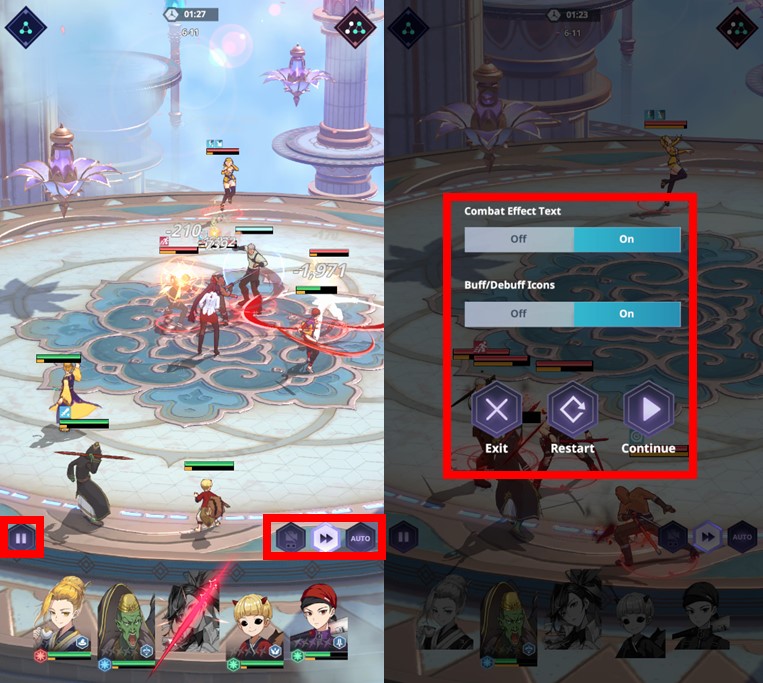
| Pause Button | - Temporarily stops the battle and opens the Buff/Debuff icon settings. - Allows you to Exit, Restart, or Continue the battle. * The Pause button is available after clearing Adventure Stage 1-5. |
| Camera | - Changes the Actioncam and Cutscene camera settings. |
| ▶▶ | - Changes the speed of the battle. |
| AUTO | - Sets Special Moves to proceed automatically. - When using the AUTO mode, it is not possible to pick the order or timing of when Special Moves will be used. |
⑤ Adventure Burning System (Administrator’s Blessing)
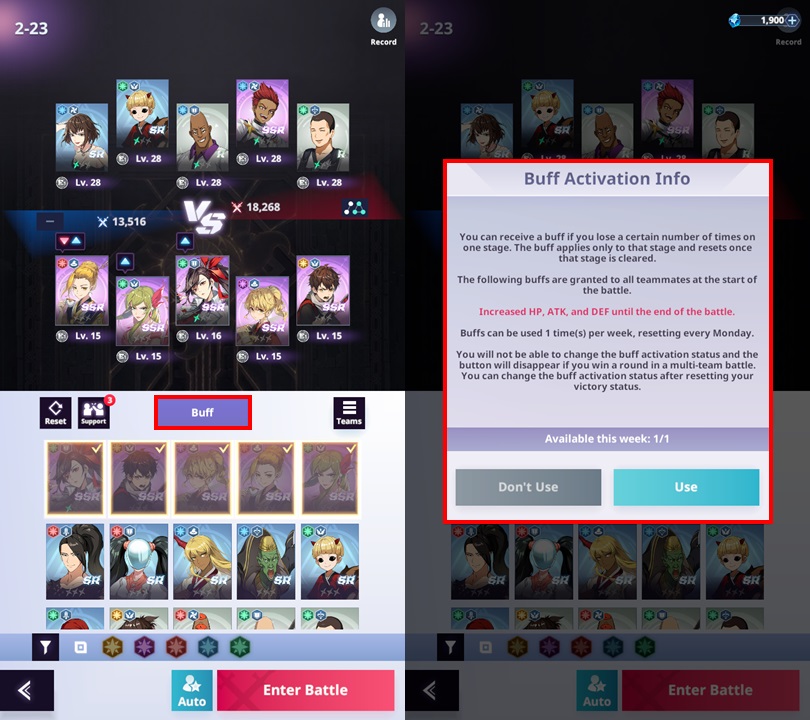
- A system that gives buffs (Administrator’s Blessing) to help Regulars facing consecutive defeats in Adventure Mode clearing that stage.
|
How to Use |
① After a certain number of consecutive defeats in the same stage, you’ll become eligible to receive the buff. The buff can be activated by tapping the [Buff Available]. |
|
② If you tap the [Buff Available] > [Use] button, the buff will be applied once the next battle begins. |
|
|
* If you clear the Stage without the buff, the defeat count to activate the buff will start again in the next stage. |
|
|
Buff |
Increases HP, ATK, and DEF until the end of the battle. |
|
* Only applicable to the Stage the Buff was activated for. |
|
|
Buff Application |
- The Administrator’s Blessing can be used up to the designated limit each week. |
|
Reset |
- Administrator’s Blessing count reset every Monday at 09:00 (UTC+9). |
■ Story Mode
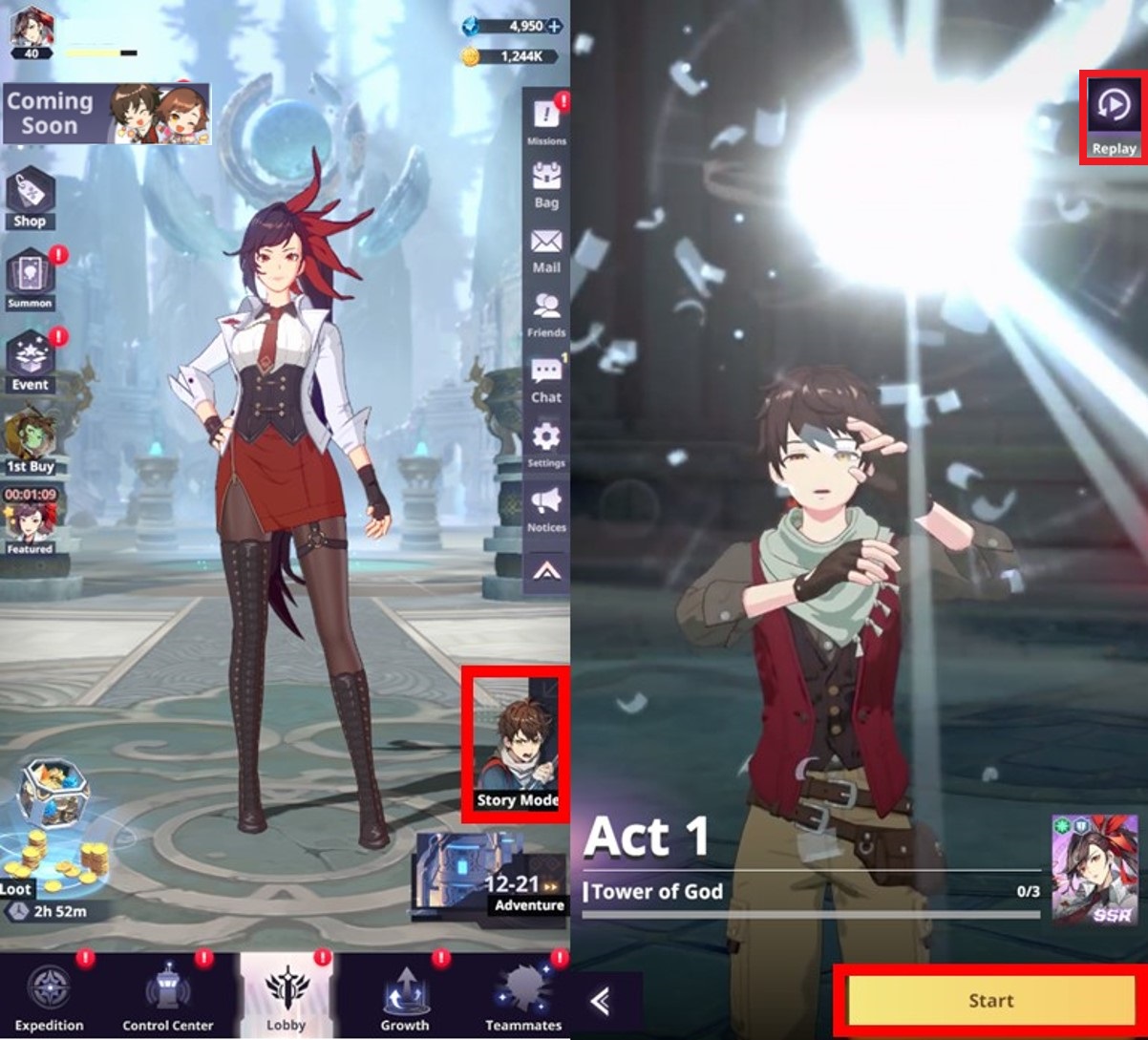
- Experience the story of Tower of God through the Story Mode.
- Story Mode is unlocked by completing Stage 1-5 in Adventure Mode. Once the mode is opened, new stories are unlocked upon clearing specific Adventure Stages.
- The “Story Mode” icon can be found at the bottom right-hand corner of the Main Lobby screen.
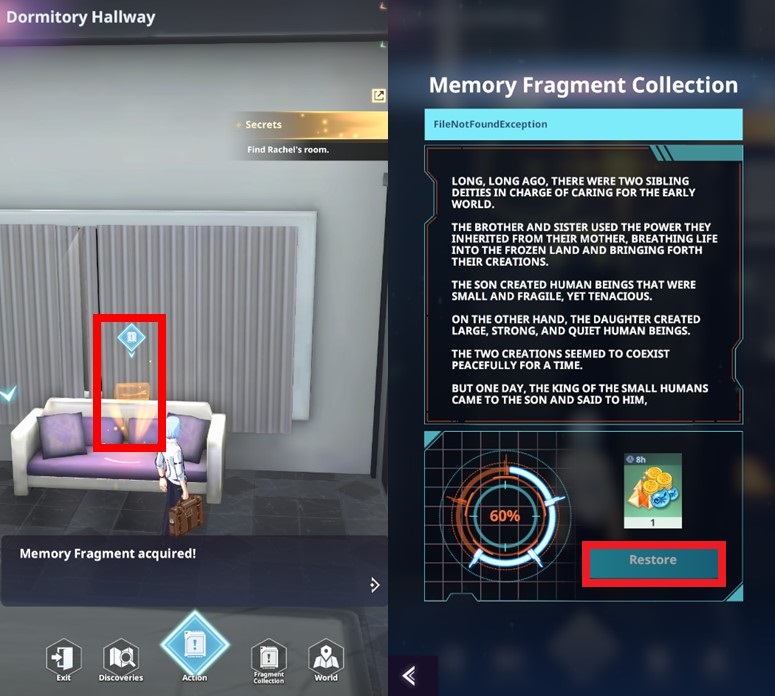
● Memory Fragment Collection
- The Memory Fragment Collection mode opens once Story Mode Act 4 is cleared.
- Memory Fragments can be recovered by experiencing the story. Completely restore the memories (100%) to receive rewards!
* This guide was written based on the test environment and is subject to change.