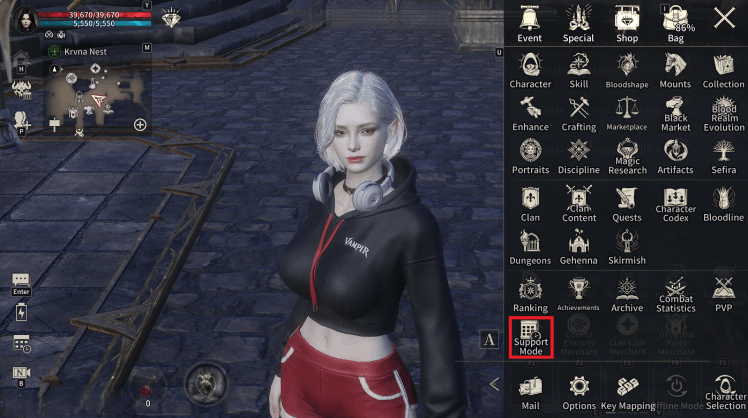
* Support Mode unlocks upon completing Episode 2 [Main Quest 1. Memory of Light].
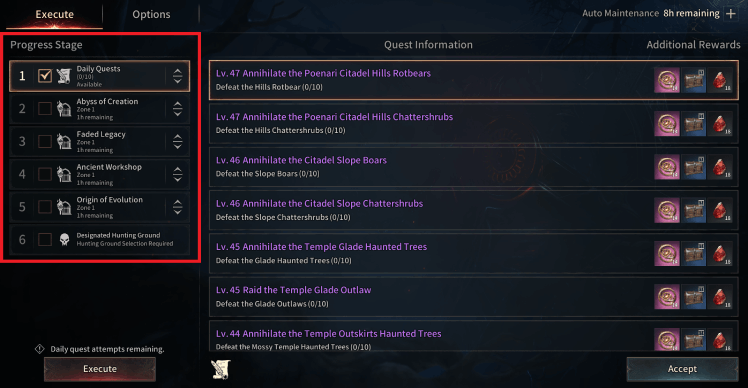
■ Execute
- You can change the progression order or check progression stages to proceed only with the content you want.
■ Options
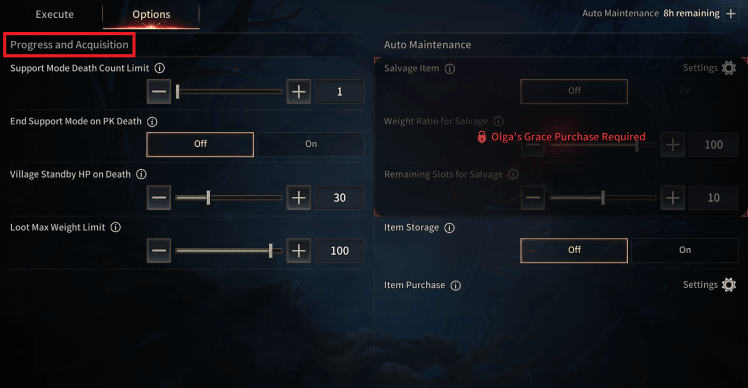
● Progress and Acquisition
- You can configure settings related to Support Mode progression and loot acquisition.
|
Category |
Details |
|
Support Mode Death Count Limit |
Sets death count limit to disable Support Mode. |
|
End Support Mode on PK Death |
Disable Support Mode upon PK death. |
|
Village Standby HP on Death |
After death, Support Mode activates when HP reaches the set percentage. |
|
Loot Max Weight Limit |
Loot is not acquired when exceeding the set weight. (When switching to Offline Mode, setting values of 100 or higher are automatically adjusted to below 100.) |
● Auto Maintenance
- Auto Maintenance is a system that automatically returns you to a nearby village for maintenance if the set conditions are met while using Support Mode.
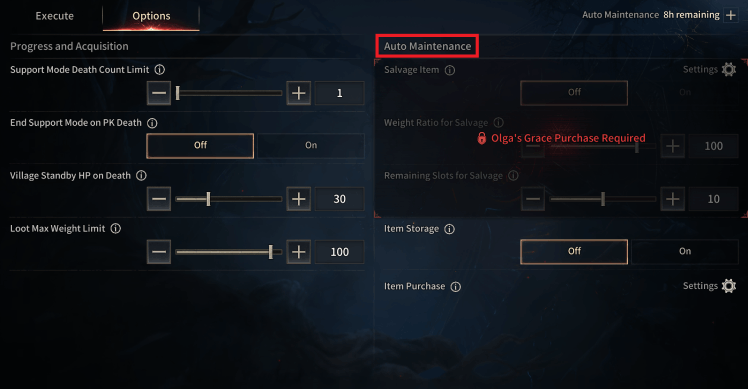
- During Auto Maintenance, maintenance is automatically performed based on your configured option values. Upon completion, you will return to the set content and proceed with Auto Hunting.
* You can activate Auto Maintenance for the remaining time displayed on the top right of the [Options] screen.
|
Category |
Details |
|
Salvage Item |
Items are automatically salvaged according to the Bulk Salvage settings in your bag. |
|
Item Storage |
Items identical to those already stored in the Warehouse will be stored. |
|
Item Purchase |
Items are purchased according to the purchase settings configured at the General Merchant. |
※ The guide content and images are based on a test version and may differ from the actual game interface or be subject to change.