■ Shop Shortcuts
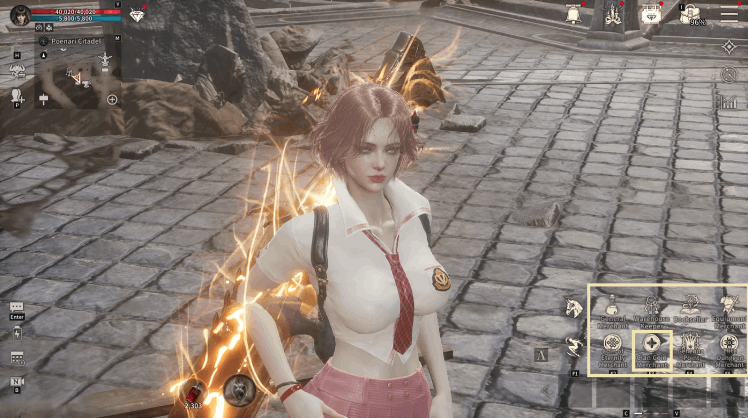
- Upon entering a village, the Shop Shortcuts button on the bottom right of the screen is activated, and you can move to each merchant through this button.
■ Shop Details
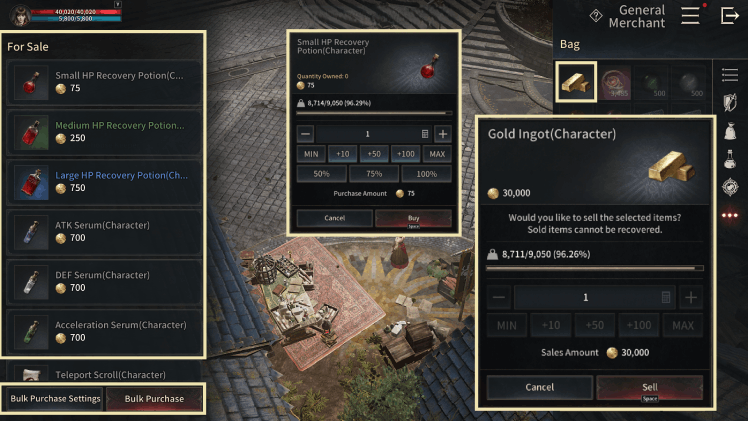
1) For Sale
- Various items are sold at each shop, and you can select and purchase the items you want.
2) Bag
- Sellable items held in your bag are displayed, and you can select the item to sell.
3) Bulk Purchase
- You can purchase items more conveniently through the Bulk Purchase feature.
■ Bulk Purchase
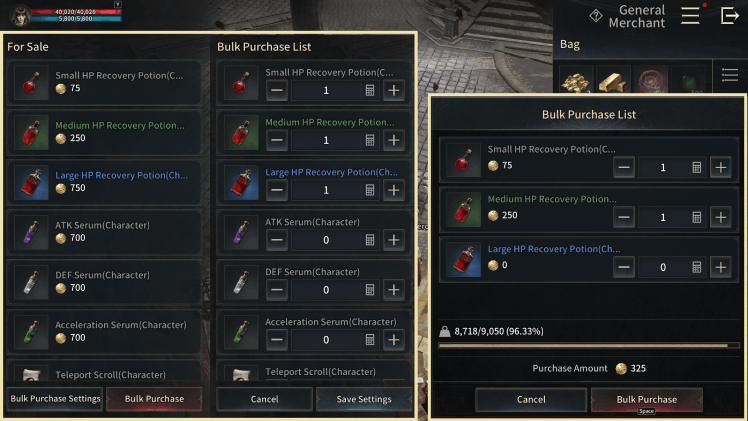
1) Bulk Purchase Settings
- Press the Bulk Purchase Settings button to set the list of items to purchase.
2) Bulk Purchase List
- The set items can be purchased all at once through the Bulk Purchase button.
※ The guide content and images are based on a test version and may differ from the actual game interface or be subject to change.