By activating a Blood Gate, you can expand your territory.
Interact with a Blood Gate in the field to activate it and use its features.
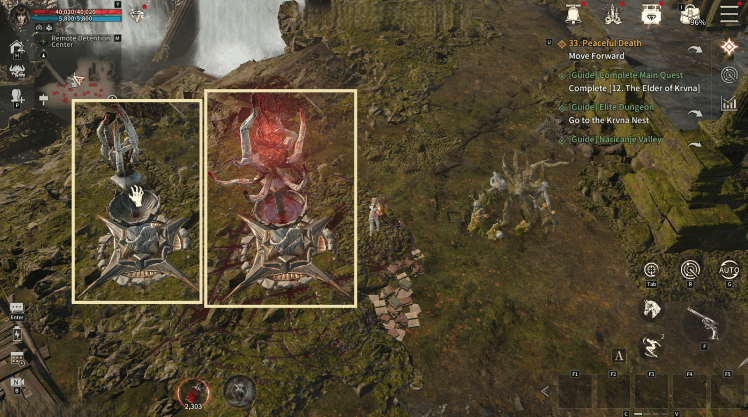
1) Inactive State
- Inactive Blood Gates are displayed in gray.
2) Active State
- Active Blood Gates are displayed in red light.
- When a Blood Gate is activated, part of the hidden area on the World Map is revealed, and you can teleport to the Blood Gate and hunting ground spots.
■ Blood Gate Activation
- Blood Gates are displayed on the World Map, and activated Blood Gates are displayed in white.
- Activating a Blood Gate also activates nearby hunting ground spots connected to the gate.
- When a Blood Gate is activated, you can check hunting ground info.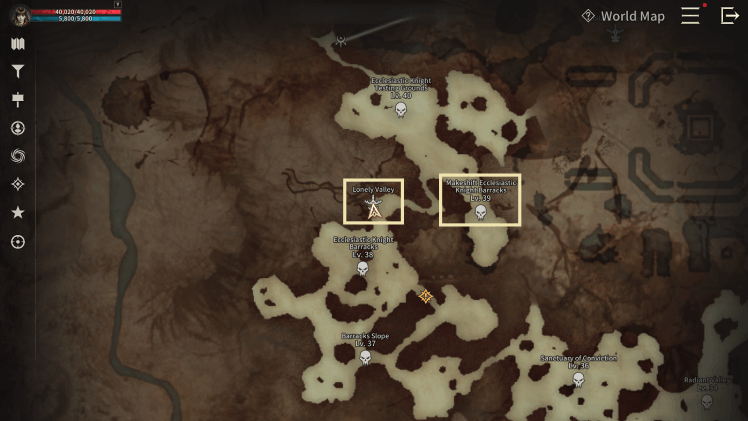
■ Blood Gate Info
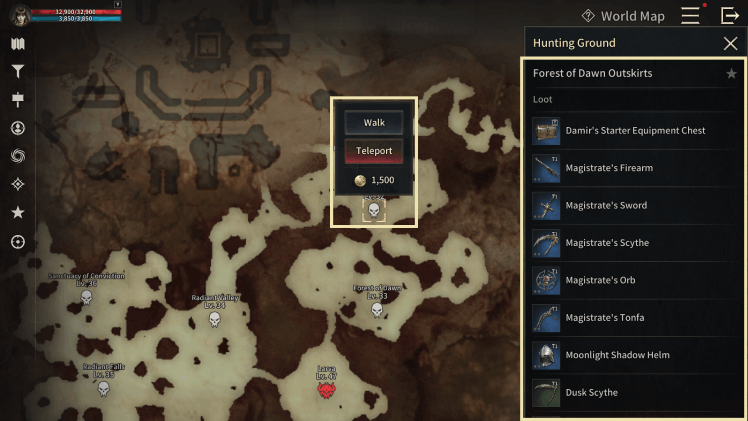
- You can check obtainable loot in the hunting ground info.
- You can travel on foot to the hunting ground spot location or pay a fee to teleport.
※ The guide content and images are based on a test version and may differ from the actual game interface or be subject to change.