Fuse
A menu where you can fuse Skill Runes, Blessing Stones, and gems.
[How to Access the Fuse Menu]
- [Menu] ▶ [Fuse]
- [Lobby] ▶ [Management] (NPC May) ▶ [Fuse]
- This feature unlocks after completing Chapter 4 <Lizards>.
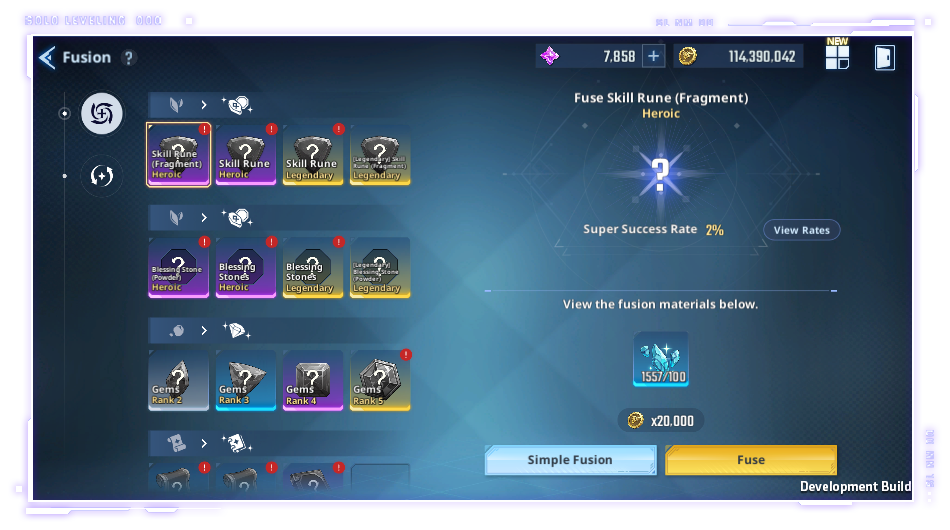
[Fuse Guide]
- You can select the Skill Runes or Blessing Stones you want to fuse.
- Information about the fusion progress will be displayed.
- You can view the odds of the fusion being successful or very successful.
- The numbers after the third decimal place are rounded up.
- If the fusion is very successful, the result will be a higher-grade item. If the fusion is successful, the same grade item
will appear as the result.
- The magnifying glass icon will show you what the results might look like when you achieve a Successful or
Very Successful fusion.
- You can view the number of Fusion Points required to guarantee a Very Successful result.
- When you attempt a fusion, you obtain Fusion Points.
- When the fusion is Very Successful, the Fusion Point gauge is reset to 0.
- When the Fusion Point gauge is full, the next fusion will be Very Successful.
- Gold is deducted when fusing.
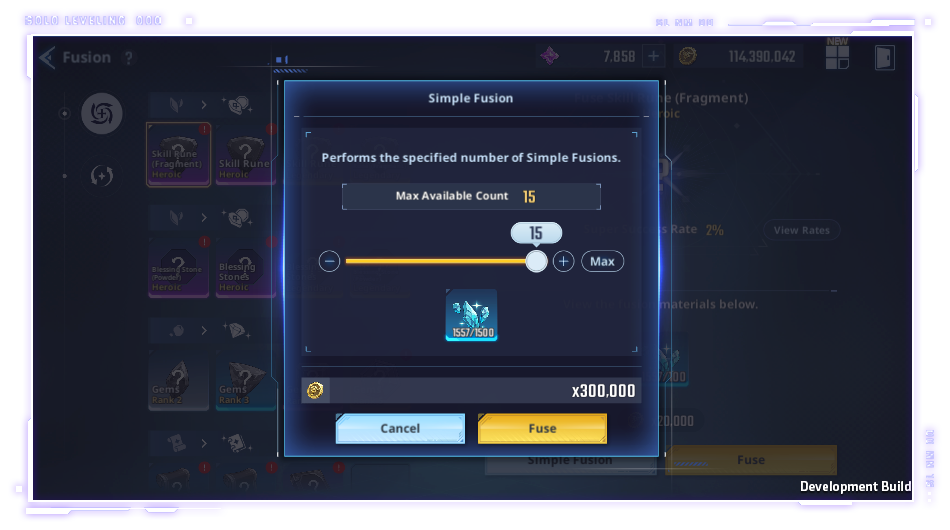
- You can manually register the items that will be used as fusion materials or automatically register them through
Simple Fusion.
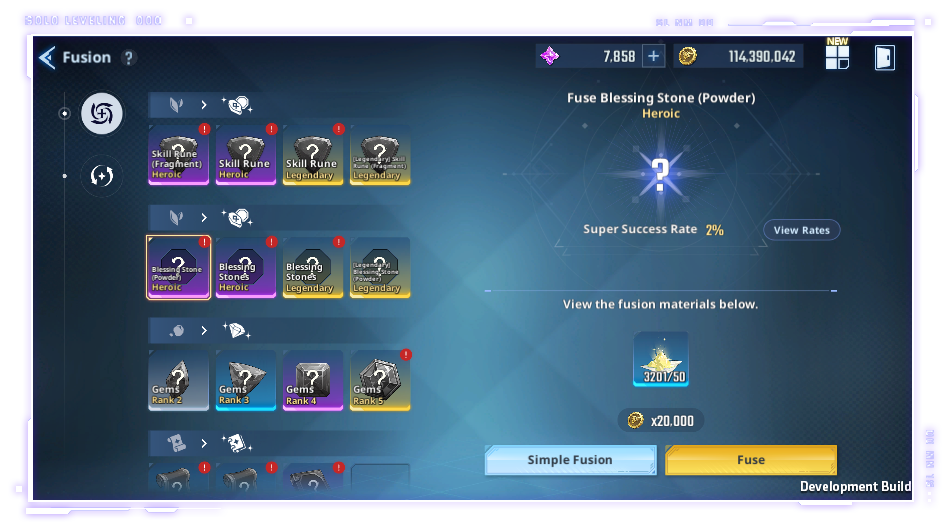
- Rune Fragments are used as materials for runes and Powder of Blessings is used as a material for Blessing Stones.
Items of the same grade can also be used as materials.
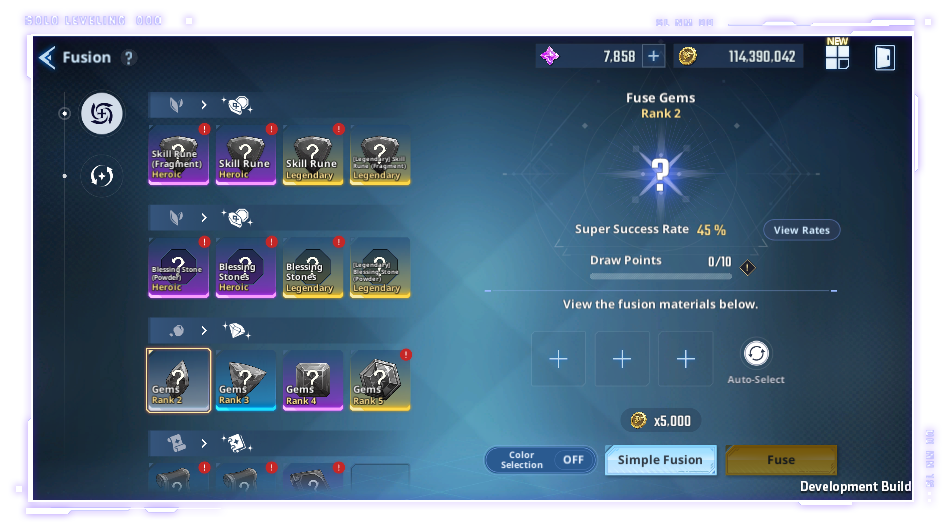 - You can enable the Color Selection option when fusing gems.
- When enabled, the fused gem will retain the same color as the gem used as fusion material.
- Fusion Points are accumulated separately for the Color Selection On/Off option.
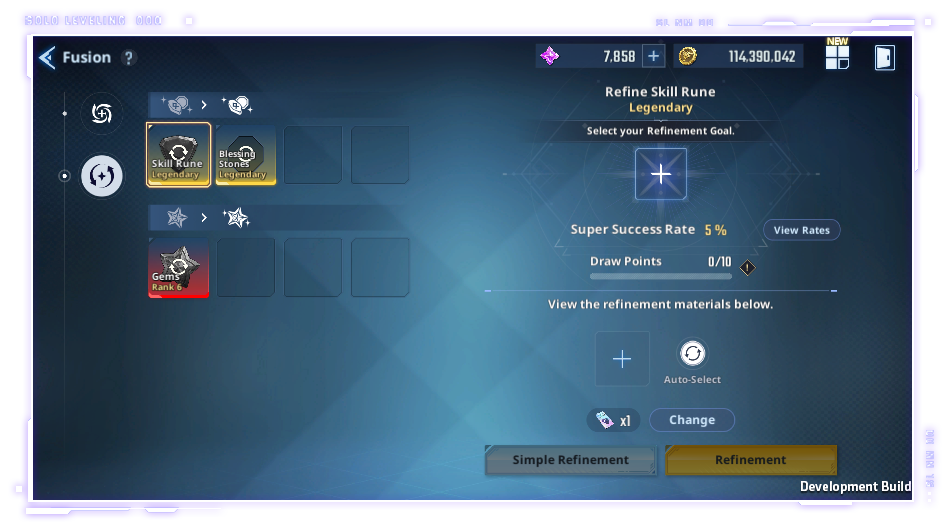
[Skill Rune / Blessing Stone Refinement Guide]
- Use duplicate Legendary Skill Runes and Blessing Stones to set a Refinement Goal.
*You can only select Legendary Skill Runes/Blessing Stones you don't have as the Refinement Goal.
- Information about the refinement process will be displayed.
- You can view the Refinement Successful and Very Successful rate.
- When it's Very Successful, the Refinement Goal will appear, and if it's Successful, a target with the same grade will appear.
- You can check the result for Successful and Very Successful in View Rates.
*Values are rounded to the second decimal place.
- You can view the number of Refinement Points required to guarantee a Very Successful result.
- You will obtain 1 Refinement Point when attempting refinement.
- The Refinement Point will reset to 0 when the refinement is Very Successful.
- When the Refinement Point gauge is full, the next refinement will be Very Successful.
- When refining, specific currency will be deducted as a fee.
*If you own all Legendary Skill Runes and Blessing Stones, the Refinement feature will be unavailable,
and will reopen again when new Skill Runes and Blessing Stones become available later.
[Gem Refinement Guide]
- Rank 6 Gems with B-Tier or lower stats can be refined into A-Tier Gems with the same stats.
*You must have a Rank 6 Gem/B-Tier or lower gem in your inventory to set or change the Refinement Goal.
*Gems equipped on the gem page cannot be used as refinement material.
- Refining gems consumes Essence Stones. If you don't obtain your Refinement Goal during any given attempt, you'll accumulate points.
- When your point gauge is full, you're guaranteed to obtain the gem you set as your Refinement Goal for the next refinement.
*If you achieve a Very Successful refinement and obtain the gem you set as your Refinement Goal, the point gauge will be reset.
*This guide was written based on the test version of the game, and the content may change in the future.