Artifacts
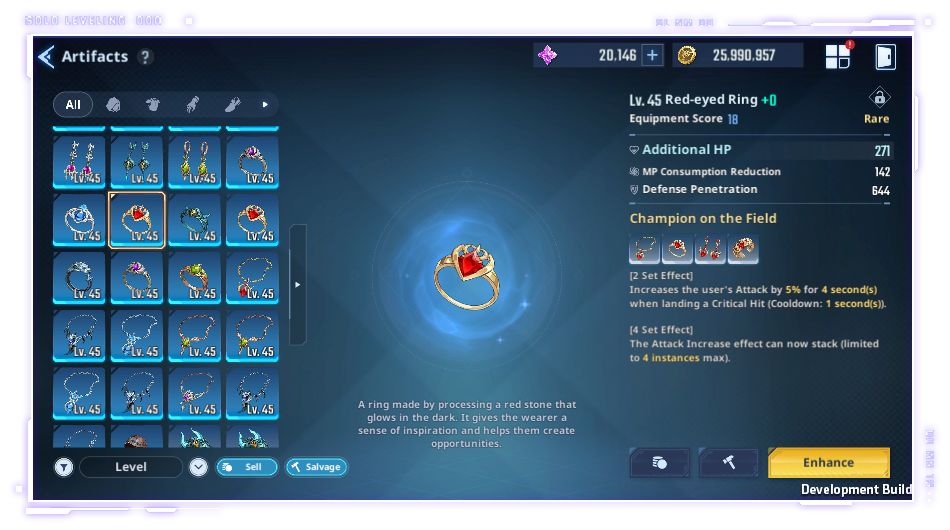
Artifacts are items that both Jinwoo and the other hunters can equip.
You can increase an artifact's supporting stats and enhancement level through engraving and enhancement.
You can obtain additional stats when equipping artifacts in a matching set.
[How to Access the Artifacts Menu]
- [Menu] ▶ [Artifacts]
[Artifacts Guide]
- This content becomes available upon completing Chapter 5, Episode 1 "The Hidden Quest".
- Necklaces and bracelets are unlocked after completing Chapter 9. Rings and earrings are unlocked after completing Chapter 12.
- Additional effects are applied depending on the number of artifacts in a set equipped.
Here, you can:
- View the list of artifacts you own as well as which ones Jinwoo and the other hunters have equipped.
- Sort the artifacts by using the filter function.
- Lock artifacts to prevent them from accidentally being used as a material component.
- View artifact information and stats.
- Enhance artifacts.
[Artifact Enhancement]
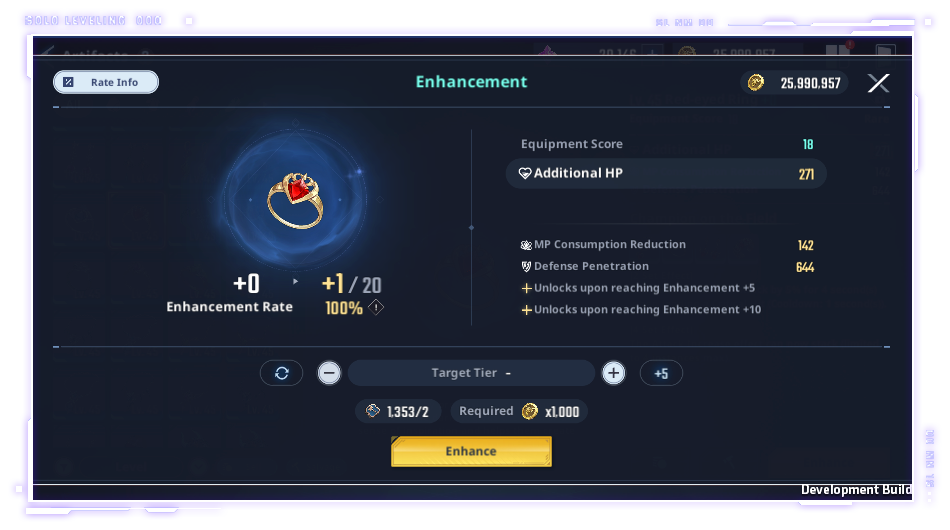
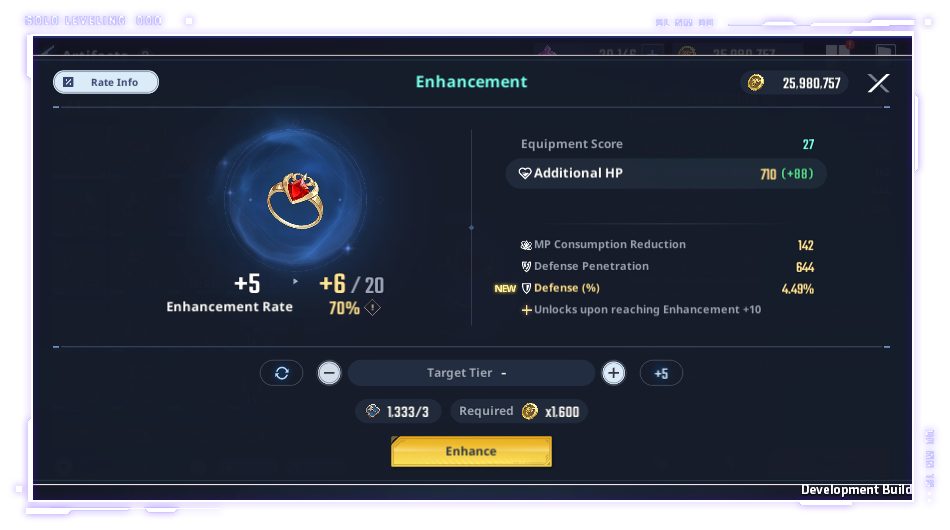
- You can increase the stats of an artifact by enhancing it.
- Use the [Auto-Enhance] button to enhance an artifact until it reaches the target enhancement level.
- The bonus rate will increase by 1% with each enhancement failure.
- At enhancement tiers 5, 10, 15, and 20, one additional supporting stat will be added.
- The number of starting supporting stats will vary depending on the item's rarity.
When enhancement is successful and supporting stats aren't added through enhancement, the value of
a random one of the current supporting stats will increase.
- The accumulated bonus rate will reset upon successful enhancement.
[Artifact Enchantment]
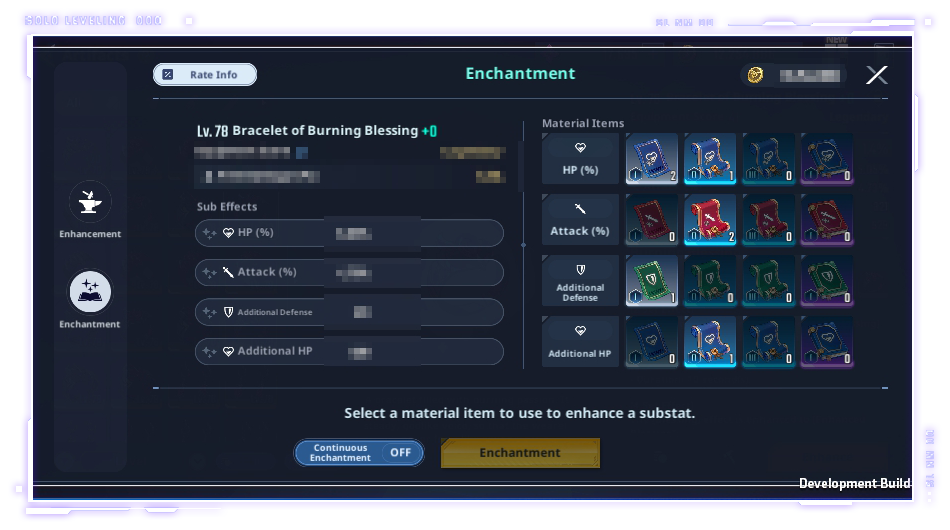
- You can select a substat of your choice and further increase its stats.
- The value of the bonus added to a substat is determined randomly based on set rates.
*If you attempt to enchant more than once and if the newly granted substat
isn't higher than the existing substat, it will not be saved and you'll keep the existing substat.
- Use the [Continuous Enchantment] button to automatically enchant
until the substat reaches the maximum level.
- Material items and Gold will be consumed when you enchant.
*There's a different minimum and maximum value range for each material item.
[Reforging Artifacts]
- You can reforge the artifacts you own to increase their stats.
- When reforging an artifact, you can check what the new stat values and Equipment Score will be.
*The artifact's Enhancement Tier will be carried over when reforging, and the Enchantment stats will remain unchanged.
*The artifact's effect type will not change even after reforging.
- You can reforge Heroic - Legendary grade artifacts above a certain level once per artifact.
*Artifacts that do not meet the conditions won't be displayed on the Reforge List.
*Event artifacts are excluded from the Reforge List.
- The Reforge Stone items and Gold required to reforge differ by grade,
and the actual items consumed will be displayed on the screen.
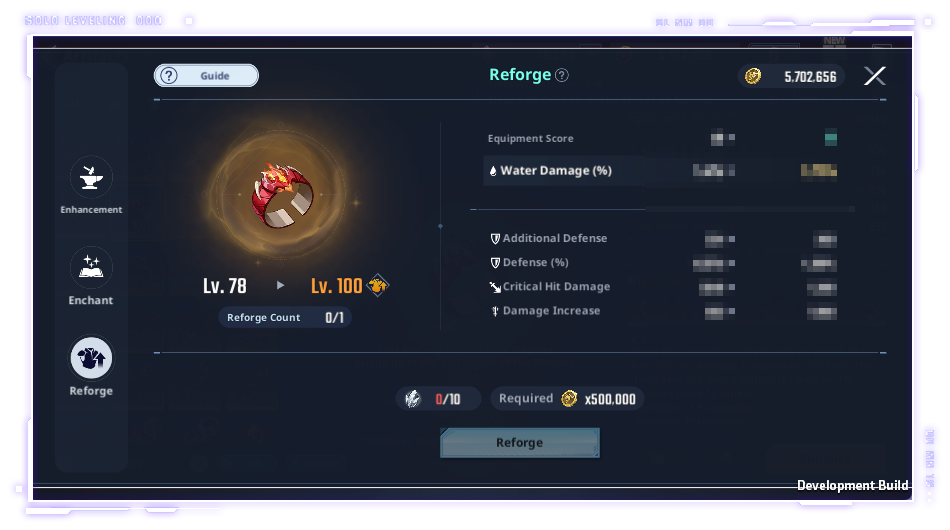 *The button will display only when the reforge conditions are met. (Each artifact can be reforged only once.)
*You can view the stats that will be changed and the materials that will be consumed before reforging.
*This guide was written based on the test version of the game, and the content may change in the future.