The Simulation Gate
The Simulation Gate is a virtual world that connects reality to another dimension.
It's also a game mode where you can choose a difficulty level and challenge yourself to grow stronger.
[How to Access the Simulation Gate]
- [Lobby] ▶ [Simulation Gate]
- [Lobby] ▶ [Compass] ▶ [Weekly Missions] ▶ [Simulation Gate]
- [Menu] ▶ [Game Modes] ▶ [Weekly Missions] ▶ [Simulation Gate]
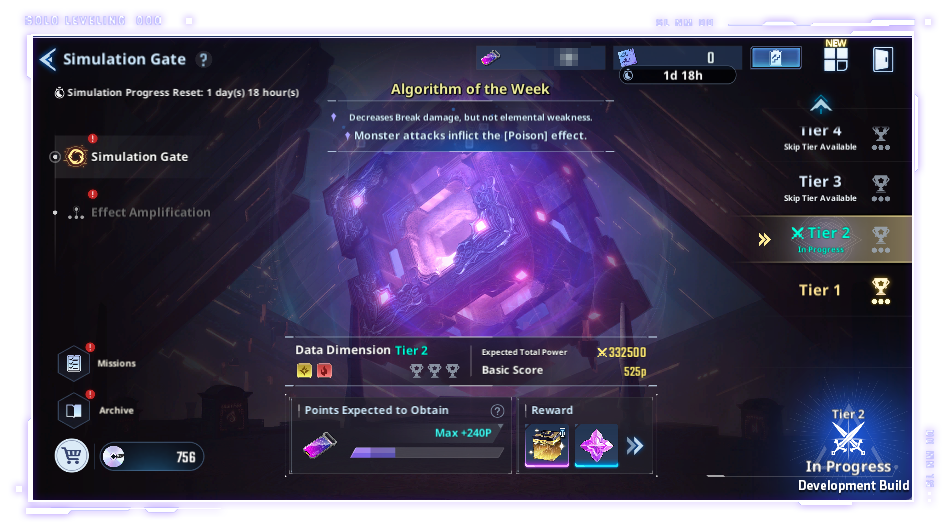
[Simulation Gate]
- In the Simulation Gate menu, you can view the game mode information and the Effect Amplification.
- You can view the Basic Score, Total Power, and the Reward Details for each tier.
- You can skip certain stages, and upon clearing the higher stage
you can obtain the first-time clear rewards and Battle Mission Rewards for skipped tiers.
*The Difficulty Skip Reward is only given after clearing the final boss zone,
and cannot be obtained during the mid-session calculation.
- You can instantly sweep tiers within a certain range below the highest tier currently cleared.
- The Algorithm of the Week is rotated every week.
- You can view how many Entry Codes you have remaining, which are required to enter the Simulation Gate.
*If you don't have enough Entry Codes, you will be able to enter in Practice Mode, but you will not be able to obtain the rewards while in Practice Mode.
- The number of Entry Codes you have for the Simulation Gate will be reset to the maximum amount during the weekly reset, regardless of how many you currently have.
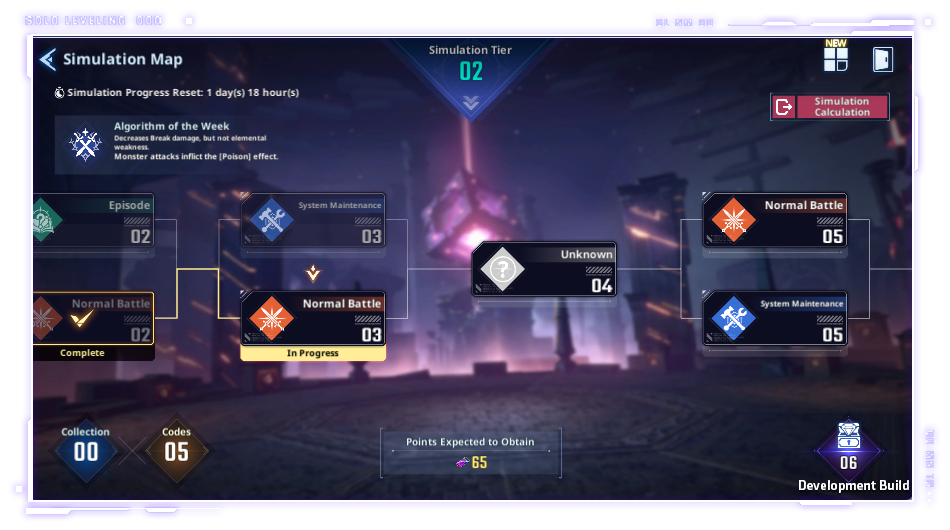
[Simulation Gate Map]
- You can view the details of each Simulation Gate tier here.
- You can view Simulation Gate's Collection entries, code statuses, the number of points you are expected to obtain, and the current acquirable rewards at the bottom.
*You can check the current acquirable rewards any time on the Pause screen when entering the map or a stage.
- You can also view the active Algorithm of the Week.
- If you end the simulation without making any progress, the Entry Code you used will be returned.
*However, if there's progress, it will be recorded, and the Entry Code will not be returned.
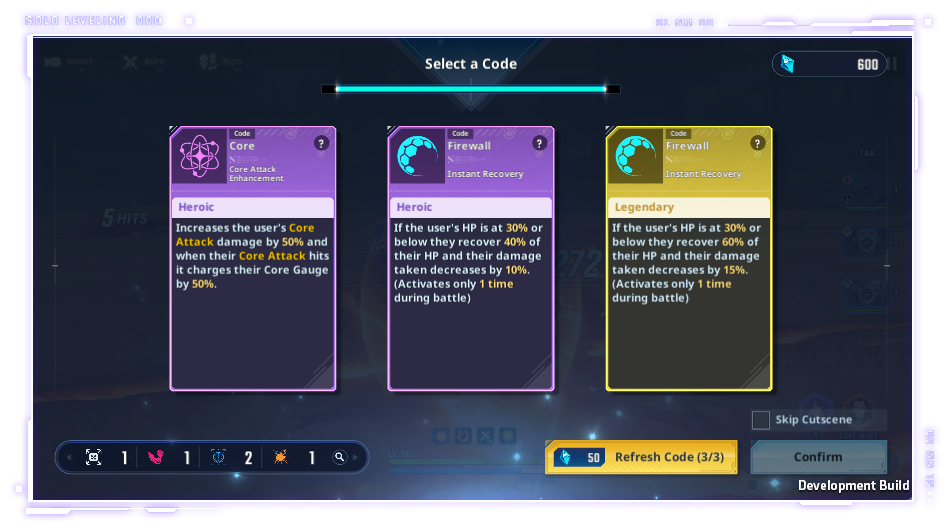
[Simulation Gate Interaction]
- While playing stages in the Simulation Gate, you can obtain Collection Entries and Codes through battles and Episodes.
- You can use each of these virtual objects strategically to gain an advantage in battle.
- In the System Maintenance stage, you can use specific currency to increase the stats of your Collection Entries and Codes.
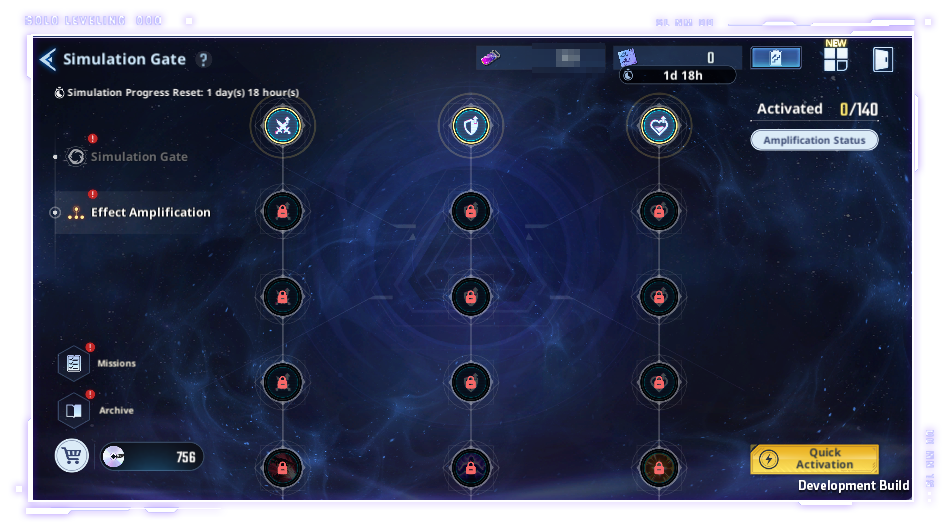
[Effect Amplification]
- You can view the Effect Amplification's activation tier and granted Amplification effect.
- Use Memory Chips you obtained as Simulation Gate Rewards as materials
to activate and receive the Amplification effect.
- When 2 or more can be activated, you can use the Quick Activation feature.
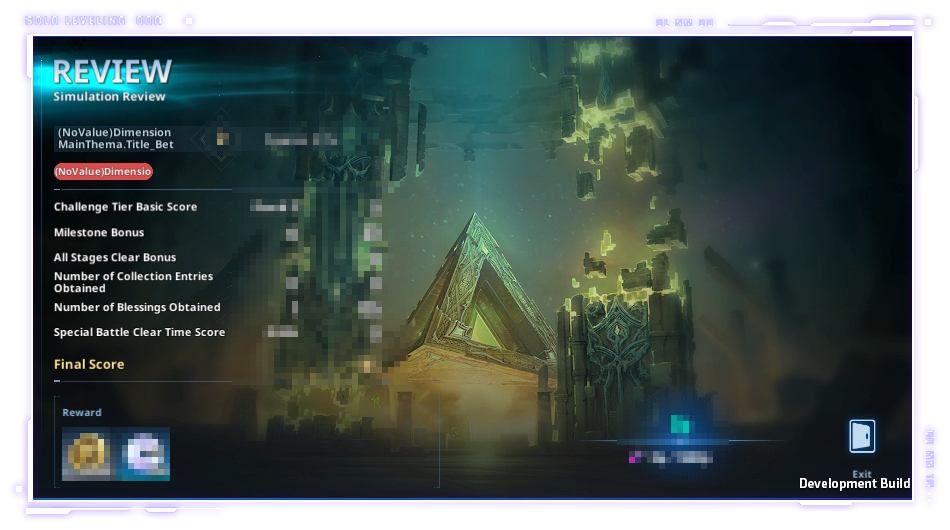
[Simulation Gate Calculation]
- When you end the simulation (calculating your results mid-session) while playing or clear the last boss zone
in the Simulation Gate, you can view the rewards you'll receive based on the result.
*The Difficulty Skip Reward is only given after clearing the last boss zone,
and cannot be obtained during the mid-session calculation.
*This guide was written based on the test version of the game, and the content may change in the future.