Power Saving Mode
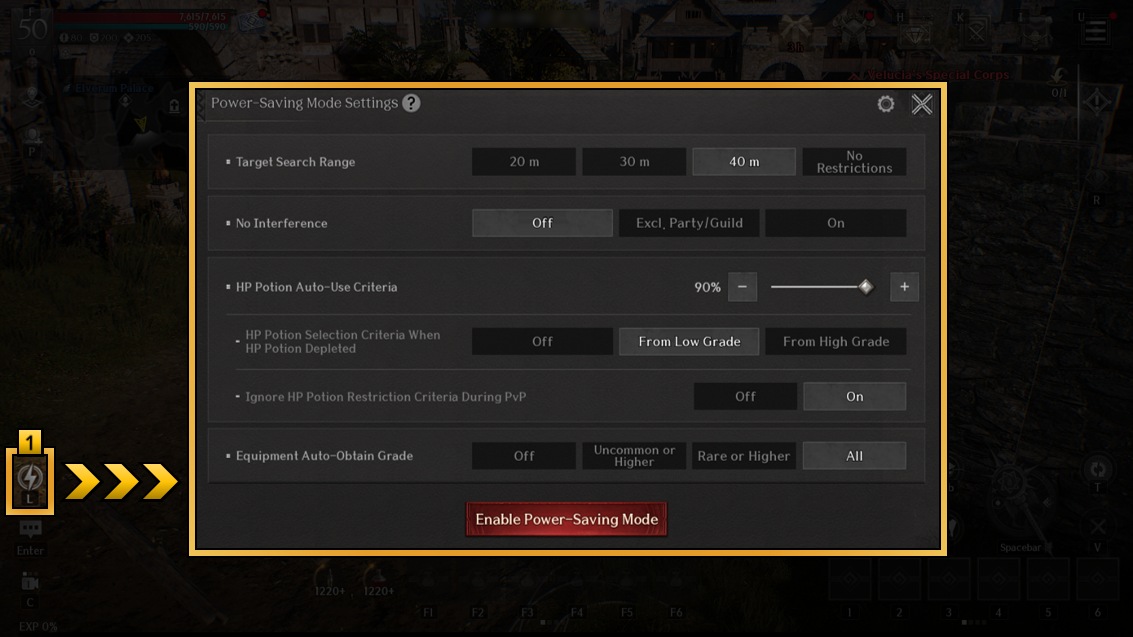
1 Power Saving Mode allows your character to continue auto-combat while the game runs in a low-power standby screen.
Tap (or click) the lightning icon at the bottom left of the screen,
or press the "L" key on the keyboard (PC version) to activate Power Saving Mode by default.
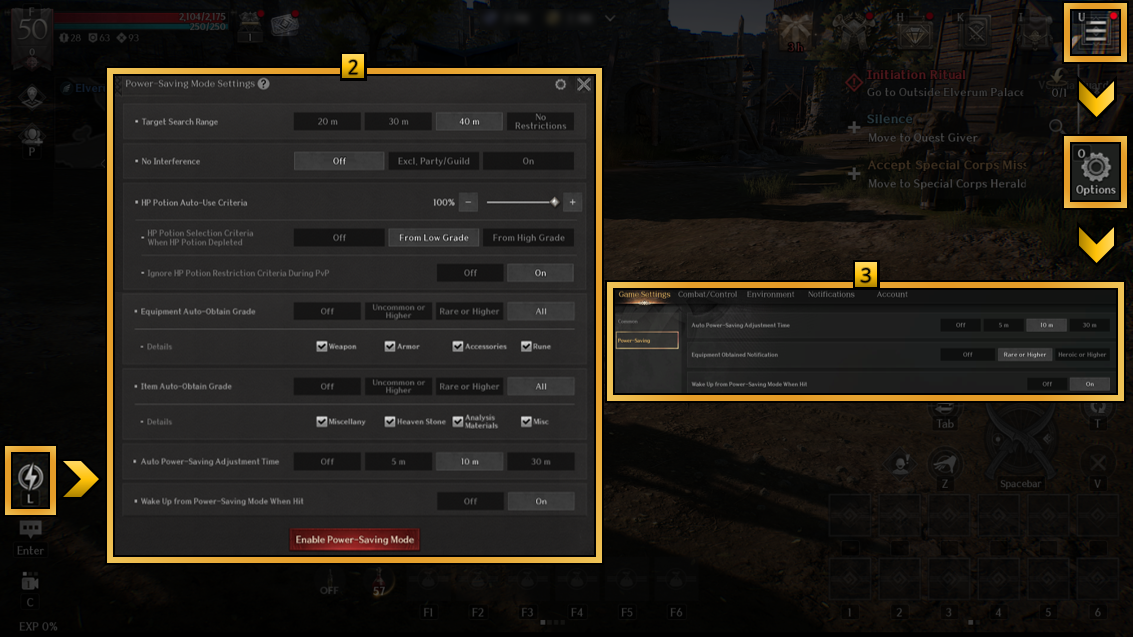
2 In Power Saving Mode Settings, you can configure the target search range, HP potion auto-use criteria,
equipment auto-obtain grade, auto power saving adjustment time, and more.
3 Through [Options > Game Settings > Power Saving] or the [Power Saving Mode Settings] menu,
you can adjust the Auto Power Saving Adjustment Time, Equipment Obtained Notification, and Wake Up from Power Saving Mode when hit options.
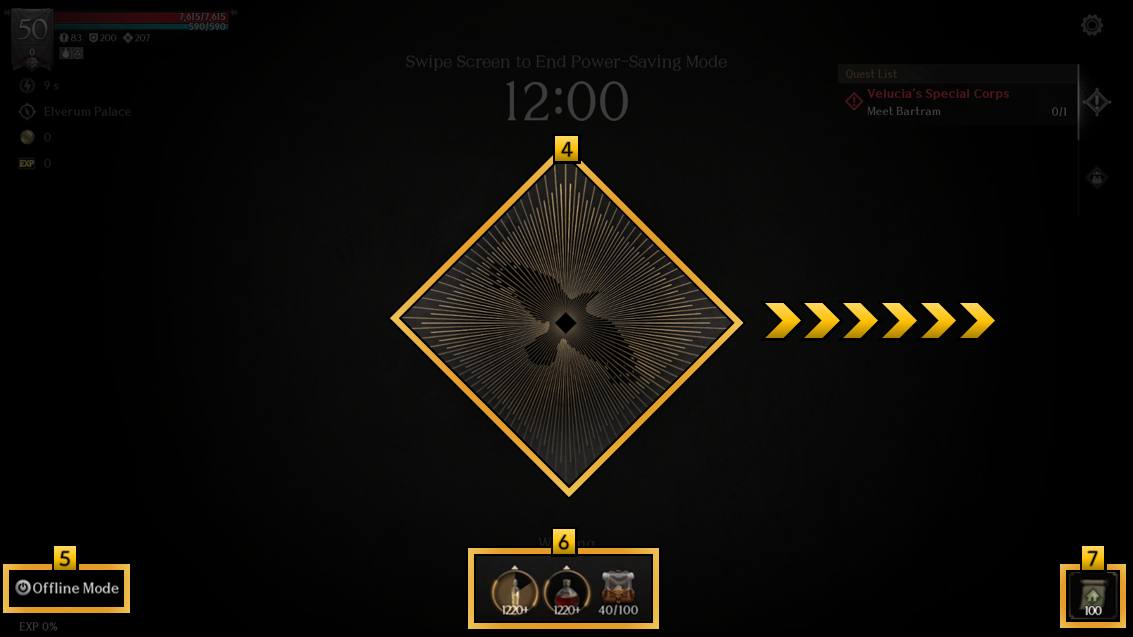
4 While in Power Saving Mode, swipe the center icon to exit the mode.
5 From the bottom-left corner of the Power Saving Mode screen, you can enter Offline Mode.
6 At the bottom of the Power Saving Mode screen, you can configure how buff items are used and check your inventory capacity.
7 In case of emergencies during Power Saving Mode, you can use a Return Scroll to teleport to the nearest town.
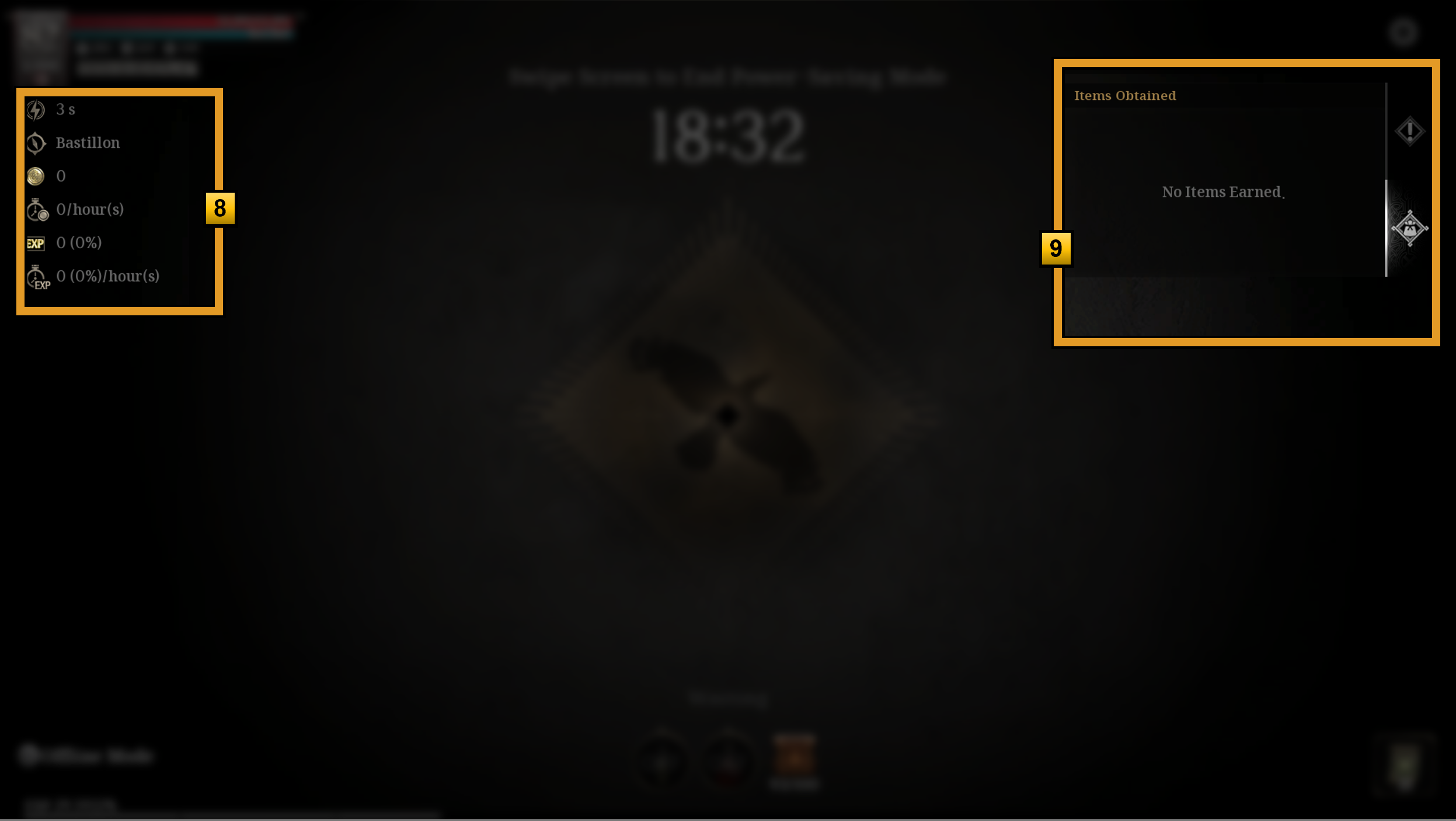
8 You can check the Gold and EXP obtained during Power Saving Mode, along with the estimated acquisition per hour.
9 You can check the list of items obtained during Power Saving Mode.
Offline Mode
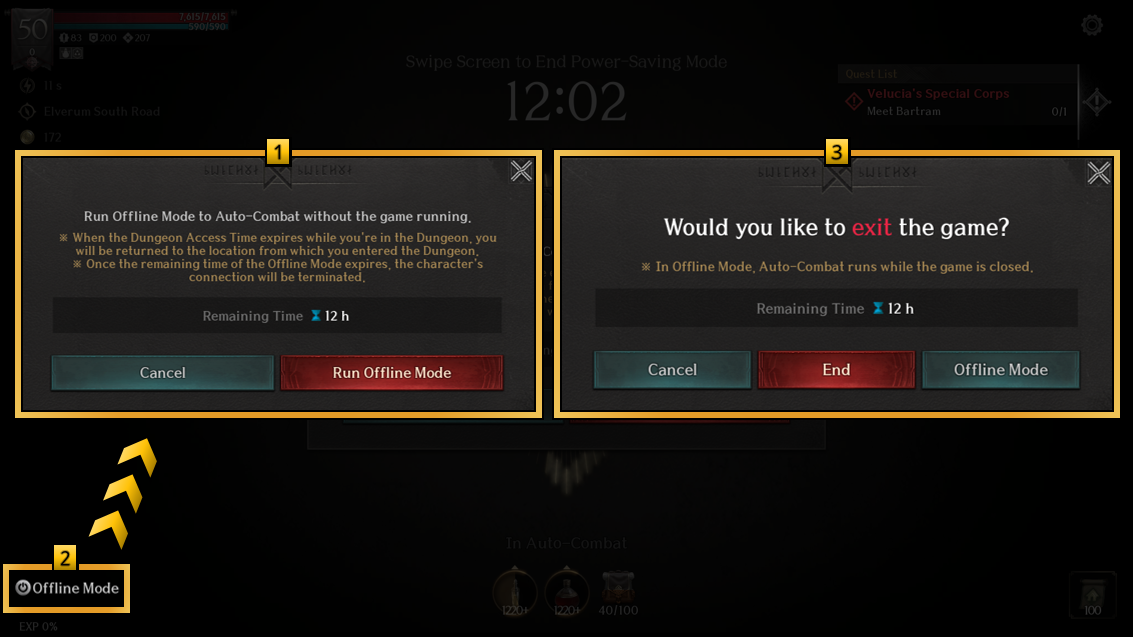
1 Offline Mode allows gameplay to continue even when disconnected from the network.
Unlike Power Saving Mode, Offline Mode remains active after the game is closed, but is limited to 12 hours per day.
* The remaining Offline Mode time resets daily at 15:00 (UTC-5).
2 You can activate Offline Mode by tapping (or clicking) the [Offline Mode] button at the bottom left of the Power Saving Mode screen.
* Offline Mode cannot be activated while in a party.
* If used inside a dungeon, your character will return to the entrance once the dungeon timer runs out.
* Only one character per account can use this mode at a time.
If you try to log in with another character while one is in Offline Mode, Offline Mode will automatically end.
3 Pressing the “Back” button (mobile), or the “ESC” key (PC),
to bring up the exit screen, where you can choose to either activate Offline Mode or close the game.