Map
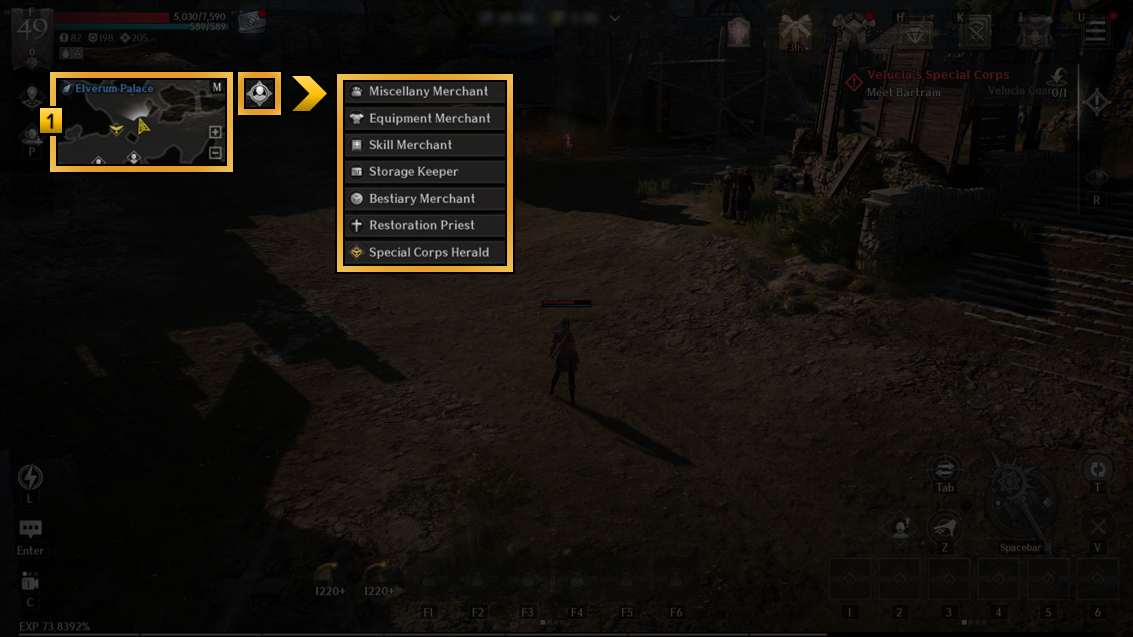
1 You can check your current location, regions, and NPC information through the [Map] located at the top left of the game screen.
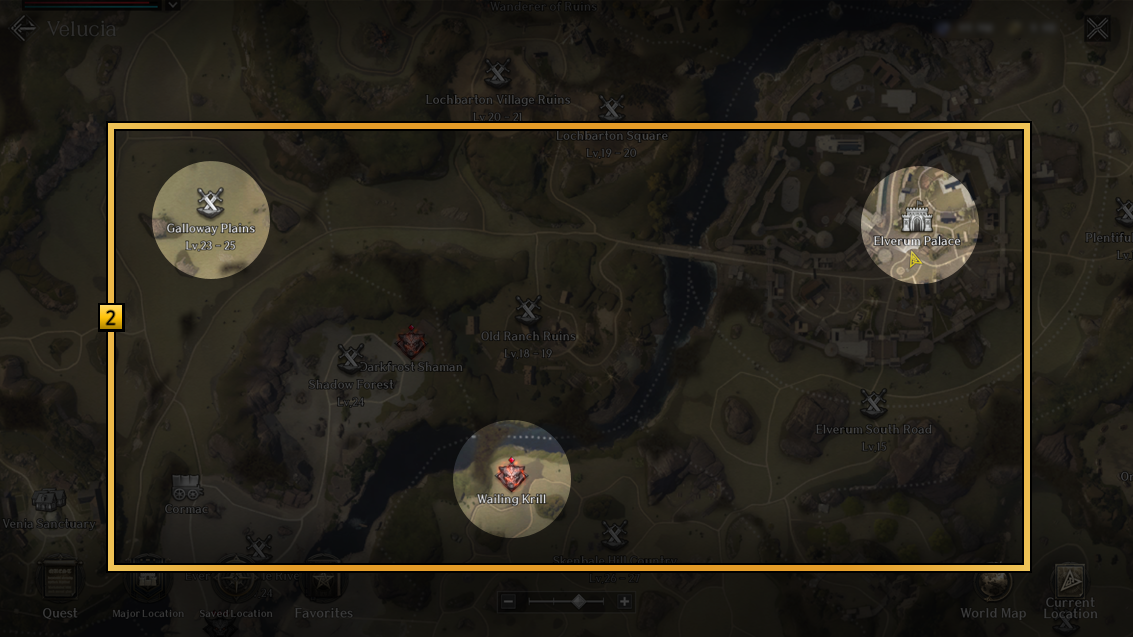
2 Tap (or click) the [Map] icon or press the "M" key on the keyboard to open the map by default.
Within the map, tapping (or clicking) on an icon of a desired region will display information about that area.
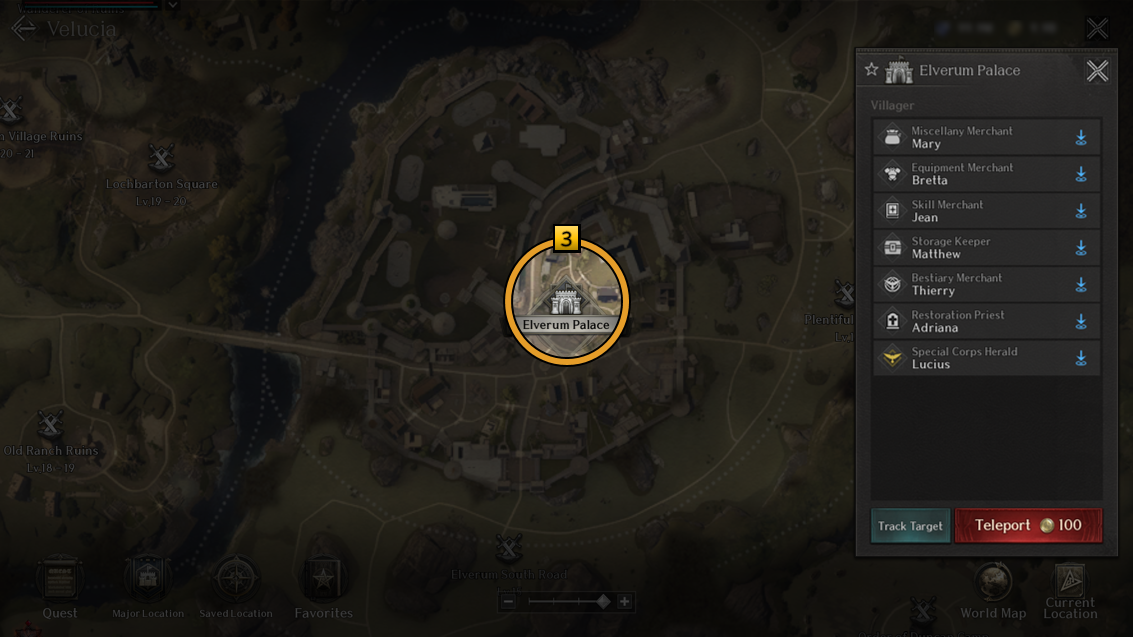
3 Icons indicating town areas. View information about the Villagers (NPCs) for the region.
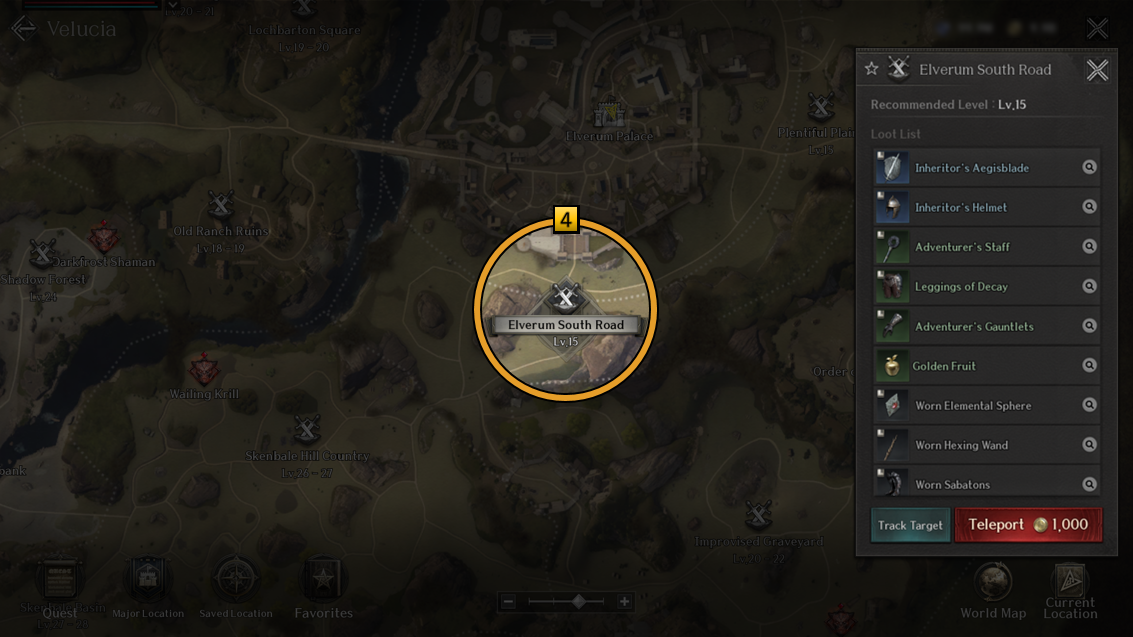
4 Icons indicating areas inhabited by monsters. View the loot list and monster information for the region.
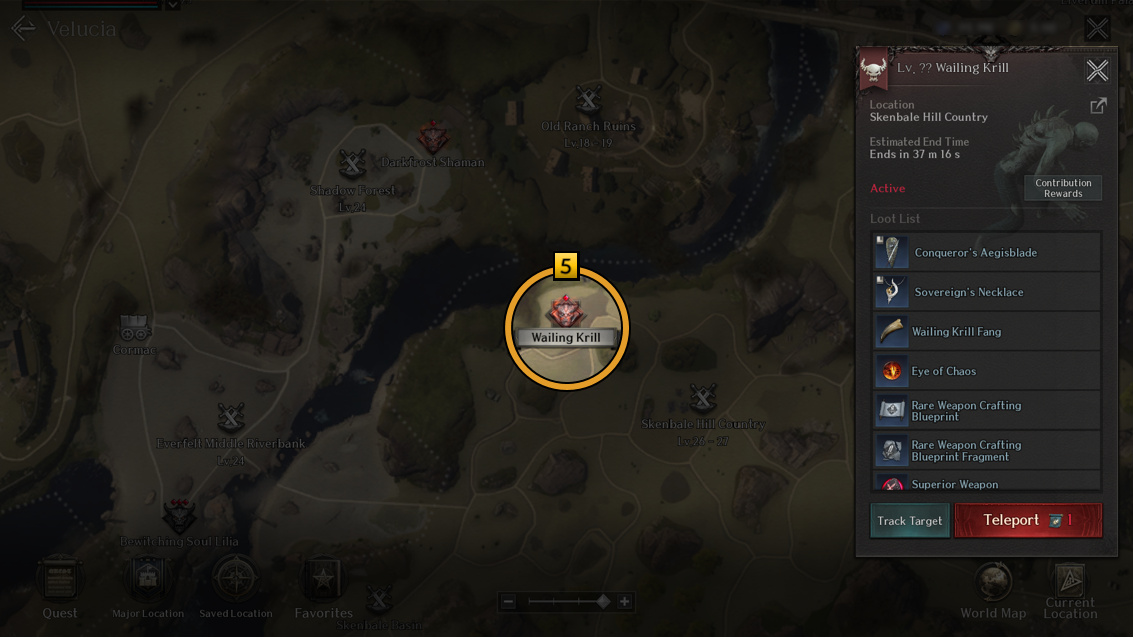
5 Icons indicating the location of Field Bosses. View information about each field boss.
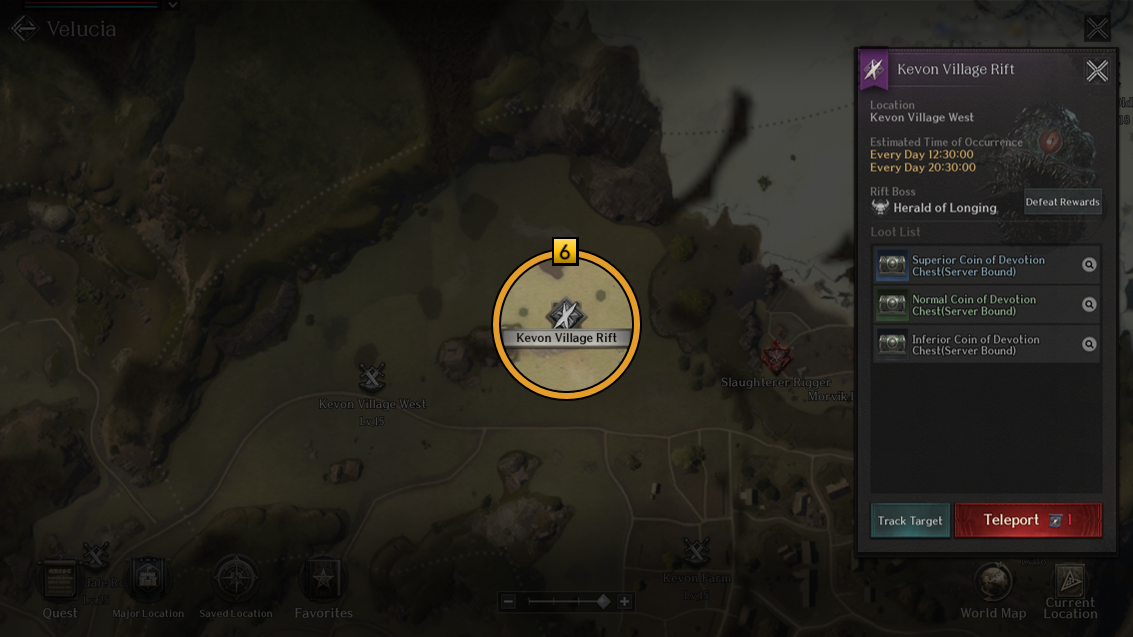
6 Icons indicating areas where rifts occur. View information about each rift boss.
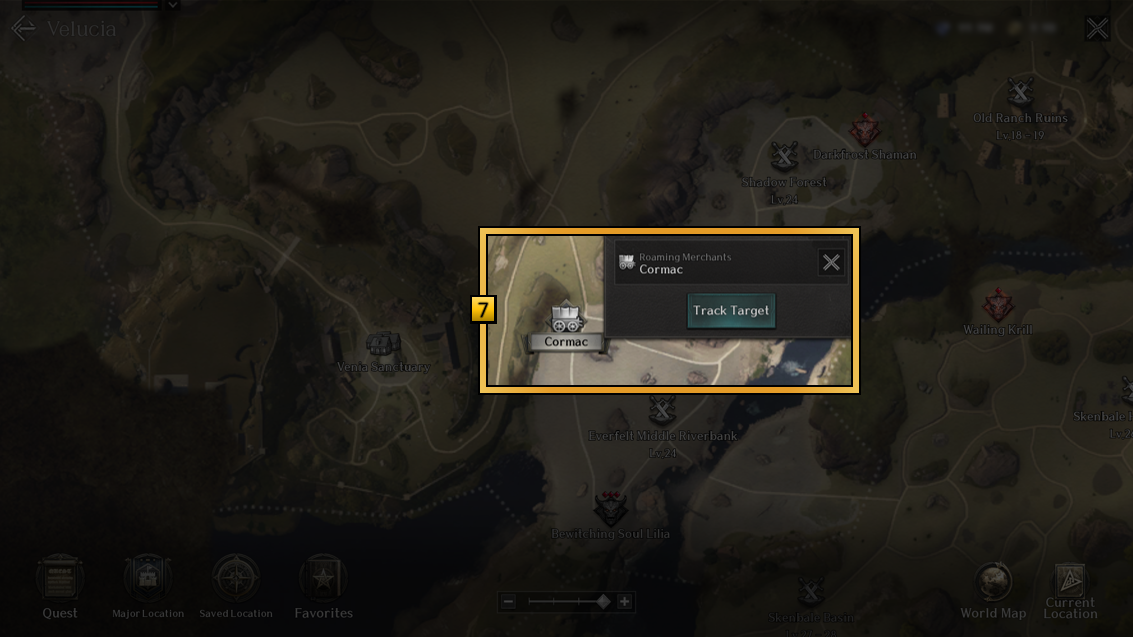
7 Icons indicating Roaming Merchants. Purchase special items and miscellaneous items.
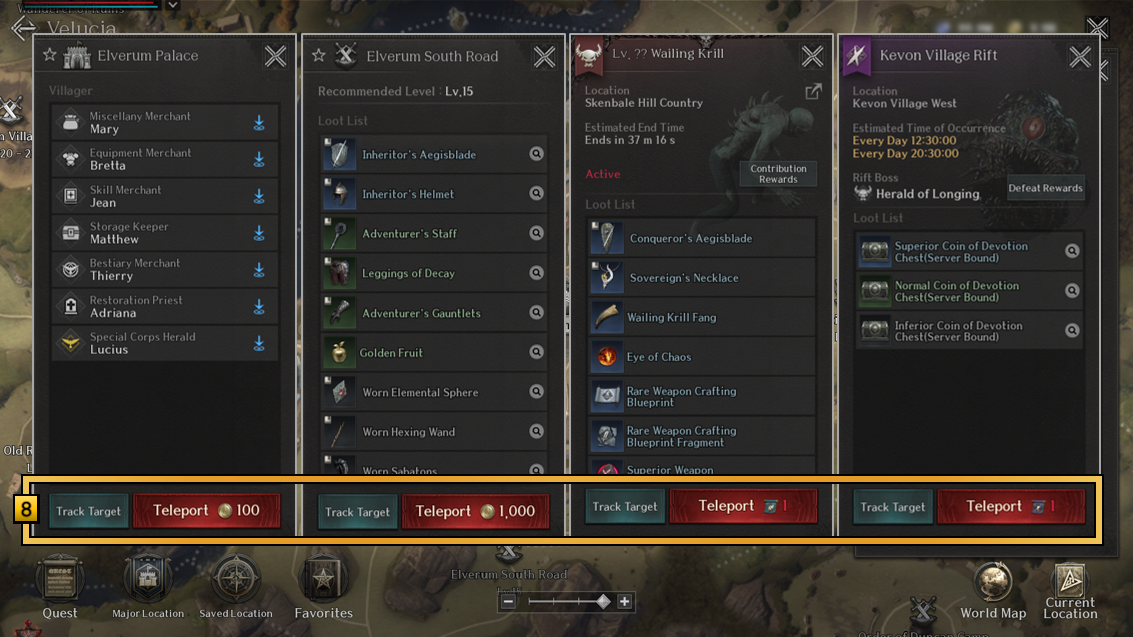
8 Tap (or click) the desired icon to track the objective or teleport directly to the target location.
Map Additional Features
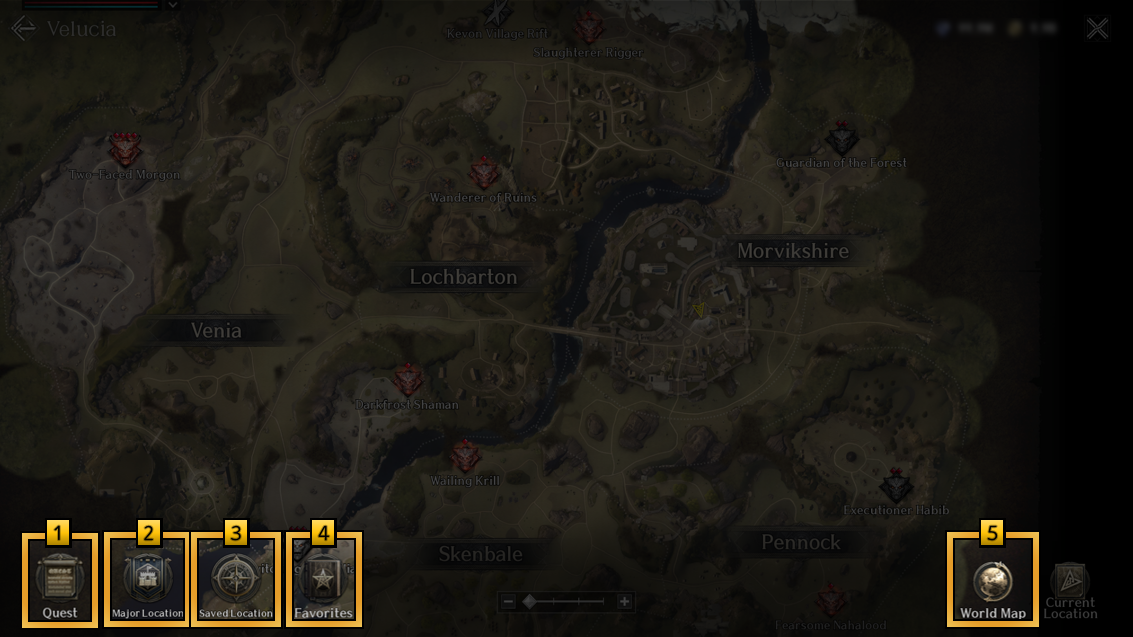
1 Tap (or click) the [Quest] icon to view the regions where each quest takes place.
2 Tap (or click) the [Major Locations] icon to view information about areas, boss monsters, and rifts.
Tap (or click) the [☆] button to add it to your favorites.
3 Tap (or click) the [Saved Locations] icon to view your personal saved spots and shared locations.
4 Tap (or click) the [Favorites] button to view your list of favorited locations.
5 Tap (or click) the [World Map] button to view the entire world map.
Saved Locations
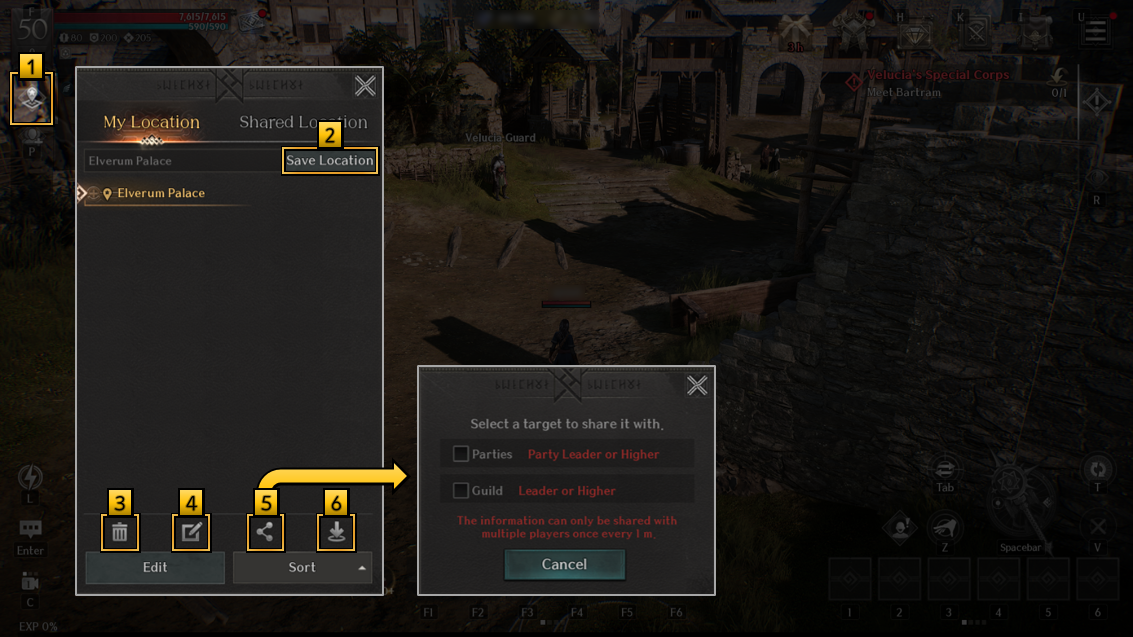
1 While in the location you wish to save, open the [Saved Locations] menu.
2 Use [Save Location] to add your current position to the saved locations list.
3 To delete a saved location, select the desired entry and then delete it.
4 To rename a saved location, select the location and edit its name.
5 Party Leaders and Guild Leaders can share their saved locations with party or guild members.
6 You can teleport instantly to any saved location. Teleportation consumes a “Blessed Scroll of Passage”.