Hunting Records
You can check the hunting records of Auto Combat sessions that were conducted for a certain period of time through the Hunting Records feature.
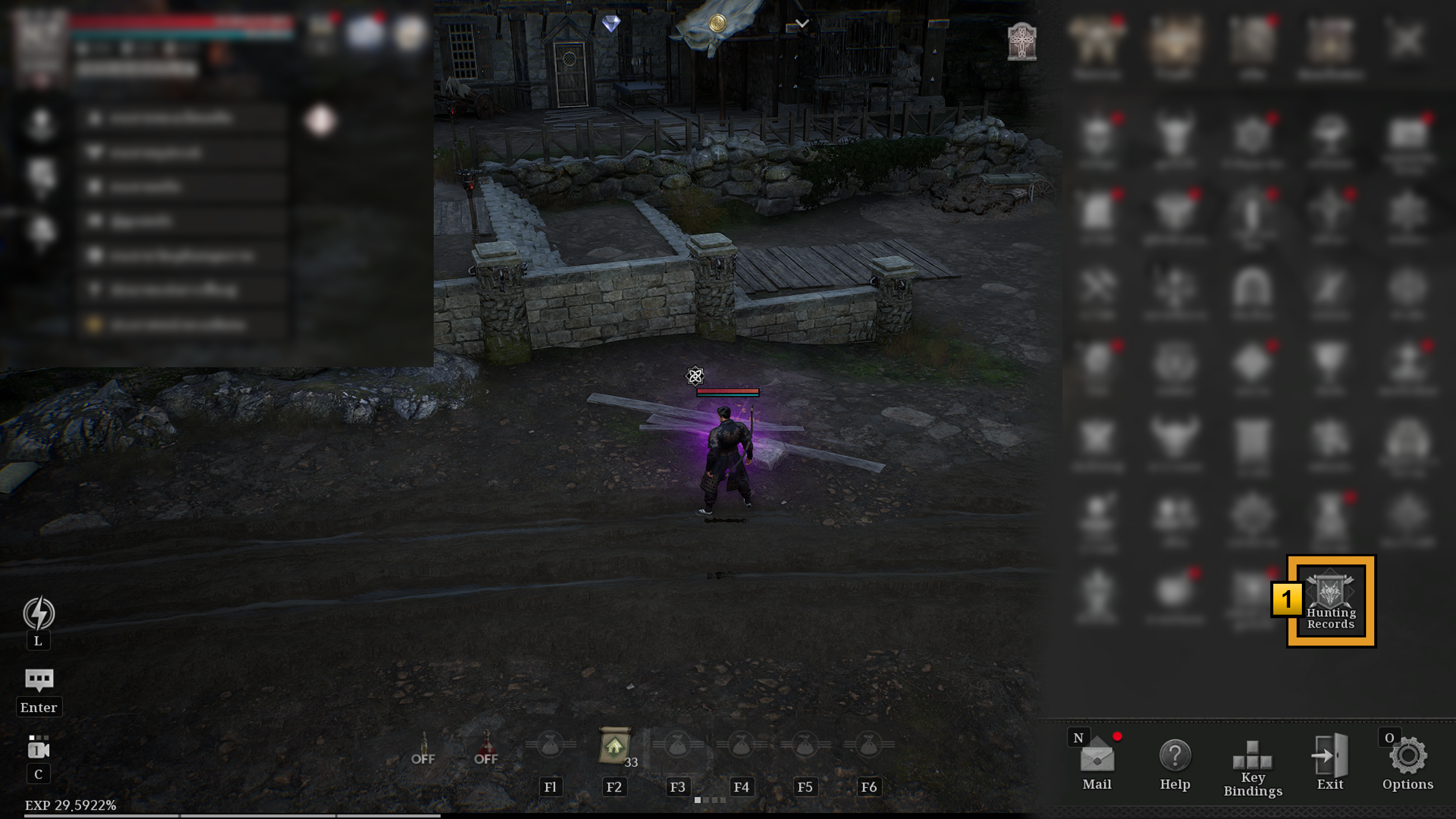
1 You can enter through [Menu (☰) > Hunting Records] in the game screen.
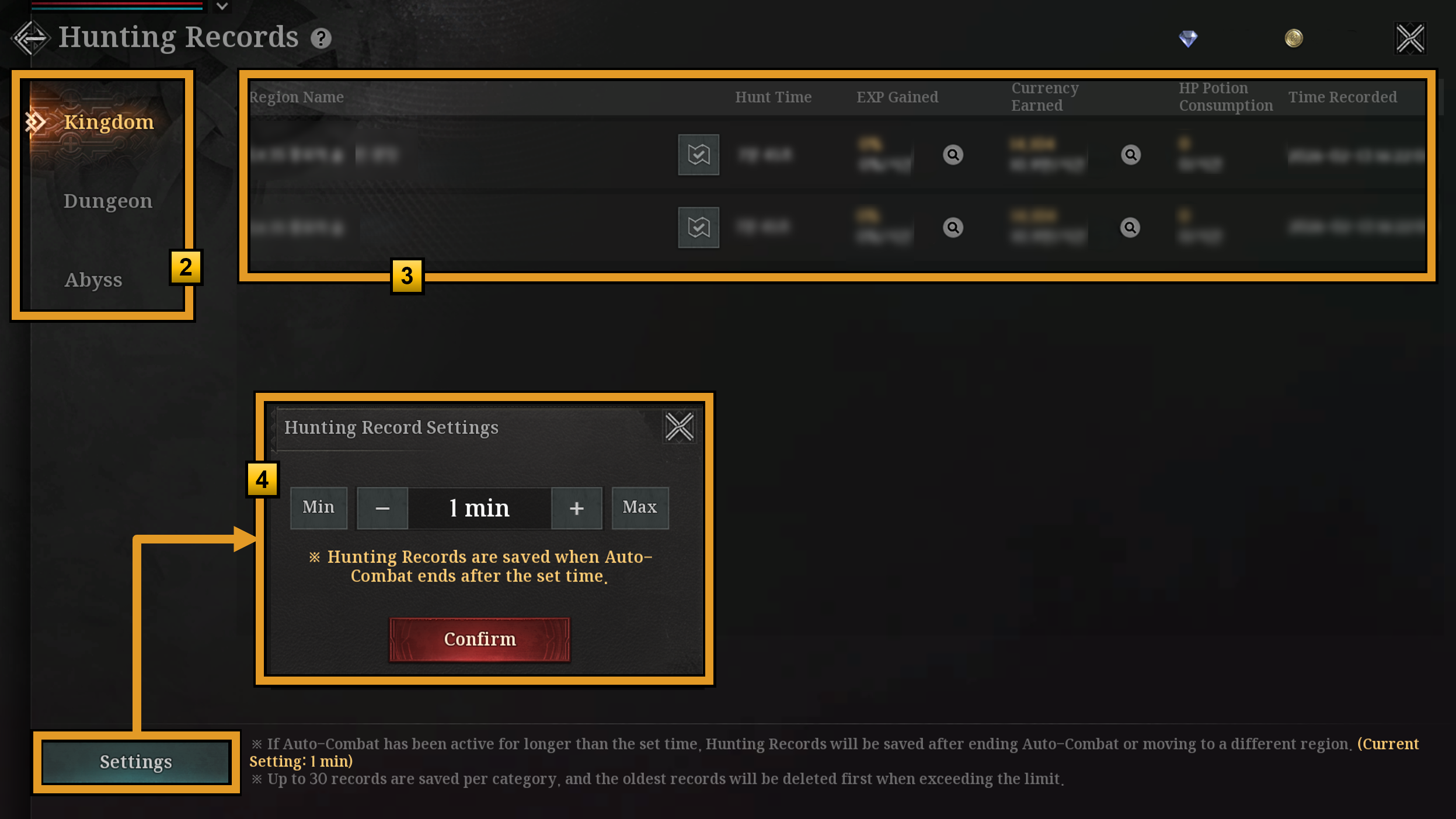
2 Hunting Records are categorized into Kingdom / Dungeon / Abyss.
3 You can check the recorded hunting details from Auto Combat.
4 You can set the minimum Auto Combat duration required to save a Hunting Record.